


We've launched Product Challenges
A new challenge format: work from a spec, not a design. Practice product thinking, AI collaboration, and shipping real products. The skills that many companies are looking for.

Table of contents
When you're stuck on a bug, ChatGPT can fix it in 30 seconds. You paste the code, it works, and you move on. It feels productive, and a lot of the time it is.
But there's a version of this that quietly backfires. A few months in, you've built some real projects, yet you still can't write a for loop without AI. You've learned to use the tool without learning to code.
I see it in our Discord most weeks. Someone pastes a block of code and asks the community to explain what it does. You can usually tell from the wording that they didn't write it and don't follow it: an AI wrote it for them, and now they're asking other people to make sense of it. When that happens, we usually say the same thing. You've skipped too far ahead. Leaning on AI like this feels faster now, but it sets your learning back.
AI can speed up your learning. But the same tool that explains a tricky concept can just as easily let you skip understanding it. For beginners that's a real risk, because you don't yet know what you don't know.
So here's the approach we'd recommend: use AI to learn faster without handing over your thinking. We'll cover the tools worth using, the one principle that separates learning from dependency, what to use AI for as your skills grow, and how to check whether you're on track.
What is an AI coding assistant?
An AI coding assistant is a tool that uses AI to help you write, understand, and debug code. They range from chatbots like ChatGPT that answer programming questions, to editor integrations like GitHub Copilot that suggest code as you type, to full editors like Cursor that can change whole codebases for you.
For beginners, these tools can speed up learning by explaining concepts, catching errors, and showing you how experienced developers approach a problem. They can also hold your learning back if you use them to produce code you don't understand. What matters most is how you use them, and it comes down to one principle.
The core principle: ask, don't copy
Ask, don't copy. Think of AI as a tutor you can ask anything, not a vending machine for finished code. Before any line it suggests goes into your project, you should be able to explain what it does. Good prompts start with "Explain," "Why," "How," or "What happens if." The test: if you can't explain it back to someone else, don't use it yet.
This works because it keeps you doing the work of learning. When you explain something in your own words, or pull an idea back out of memory instead of rereading it, it sticks better than skimming a solution does. Learning researchers call these retrieval practice and elaboration, and they're some of the most reliable techniques we have. Ask-don't-copy builds both into how you work.
The moment you paste in code you don't understand, your skills start slipping.
Bad prompts vs. good prompts
Say you need to add drag-and-drop to a Kanban board.
Bad prompt: "Write code to add drag-and-drop functionality to move tasks between columns in my Kanban board."
Good prompt: "I need to implement drag-and-drop for my Kanban board so users can move tasks between columns. What are the main considerations: should I use the native HTML drag-and-drop API or a library? What state updates will I need to handle?"
Then follow up: "I'm using the native drag-and-drop API. Here's my dragStart handler: [paste code]. Does this approach make sense for updating the task's column? What edge cases should I consider?"
That keeps you in charge of the architecture while using AI to pressure-test your thinking and spot issues.
Debugging works the same way.
Bad prompt: "Fix this bug [paste code]." It fixes it, you learn nothing.
Good prompt: "I'm getting this error: [error message]. What does it mean? Where should I start looking?" Then: "I think the issue is in this function [paste]. Am I on the right track? What should I check?" Now you're building your own debugging instinct.
The explain-back rule
Before you use any AI-suggested code, explain it line by line. What is this line doing? Why this approach? What would happen if I changed X? Are there alternatives? If you can't answer, you're not ready to use that code. Delete it, go back and ask for an explanation, then write it yourself from understanding.
This is the Feynman Technique: if you can't explain something in plain terms, you don't understand it well enough yet. Apply it to every piece of code you're tempted to keep.
That's the principle. Now for how it plays out as your skills grow.
When AI gets it wrong (and it will)
AI coding assistants are confidently wrong all the time. They'll suggest functions that don't exist, give you syntax from three versions ago, and invent APIs that sound plausible but aren't real. And they do it with the same confidence they have when they're right.
These models are trained on data with a cutoff date, they don't know your specific project, and they sometimes generate plausible-looking code that doesn't run. Experienced developers spot the bad suggestions quickly. As a beginner you don't have that pattern recognition yet, so you're trusting a tool that makes mistakes you can't always catch.
The main ways it goes wrong:
Outdated information. The training data has a cutoff, usually months back. If a library was updated last month, AI might hand you old syntax or deprecated methods. Web search helps a bit, but it still happens.
Hallucinated APIs. It sometimes invents functions, methods, or whole libraries that sound real and aren't. This is especially common with newer or less popular tools.
Missing context. A browser chatbot like ChatGPT or Claude can't see your project, your dependencies, or your constraints, so it'll suggest things that work in isolation and break in your setup. In-editor tools like Copilot and Cursor do see your code, which is a big point in their favor, but they still make mistakes.
How to check a suggestion before you trust it:
- Does it actually run? Test it. Don't assume it works because AI said so.
- Check the official docs. For any method or API you don't recognize, look it up. Does it exist? Is this the current syntax? MDN for web APIs, official docs for everything else.
- Can you explain why it works? If you can't walk the logic line by line, you don't understand it well enough to trust it.
- Search the error message. Paste the exact error into Google. You'll usually find a Stack Overflow thread or GitHub issue explaining what's gone wrong.
- When AI and the docs disagree, the docs win. Every time. Update what you know and correct AI in your next prompt.
Signs the suggestion is wrong:
- Immediate syntax errors
- Methods your editor doesn't recognize (red squiggly lines)
- Imports that fail or packages that don't exist
- Code that worked yesterday and doesn't today (it doesn't know about breaking changes)
- A wildly complicated solution to a simple problem
When you do catch it being wrong, don't just wrestle with the broken code. Tell it: "This throws an error: [paste]. The docs show different syntax: [paste]. Can you explain the difference and update your suggestion?" You get a fix, and you reinforce the habit of trusting documentation over AI.
So treat every suggestion as "probably right, worth checking." Run it, check the docs, make sure you can follow the logic. That checking habit is part of learning to code, and it pays off no matter where the code came from.
Best AI coding tools for beginners
You don't need a pile of AI tools. New ones launch constantly, and it's easy to lose a week chasing the shiny new thing instead of coding. Pick one, get comfortable, stay focused. Here's what's worth your attention, and the order we'd reach for it.
Start in your editor: Cursor or GitHub Copilot
For learning, we'd start with an assistant that lives inside your code editor rather than a chatbot in a browser tab. The reason is context. A tool like Cursor or Copilot can already see the code you're working on, so when you ask a question, it knows what you're looking at. With a browser chatbot you're forever copying code back and forth, and things fall through the gaps.
Two that work well:
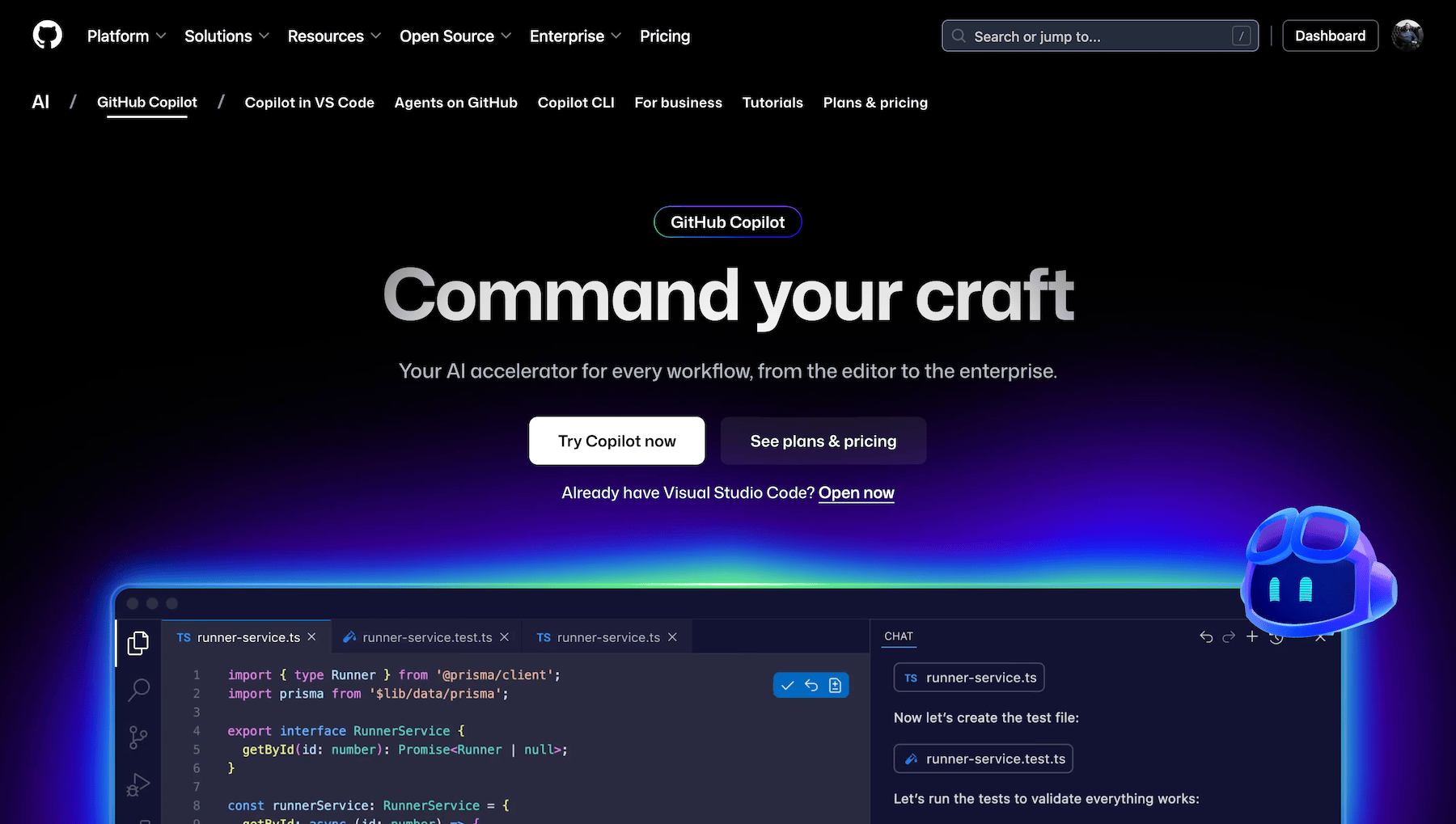
GitHub Copilot runs in VS Code and other editors. The free tier gives you 2,000 code completions and 50 chat requests a month, which is plenty while you're learning, and it's free for verified students through the GitHub Student Developer Pack (worth sorting early, since verification can take a while). Paid plans are $10/month (Pro) and $39/month (Pro+) if you outgrow it.
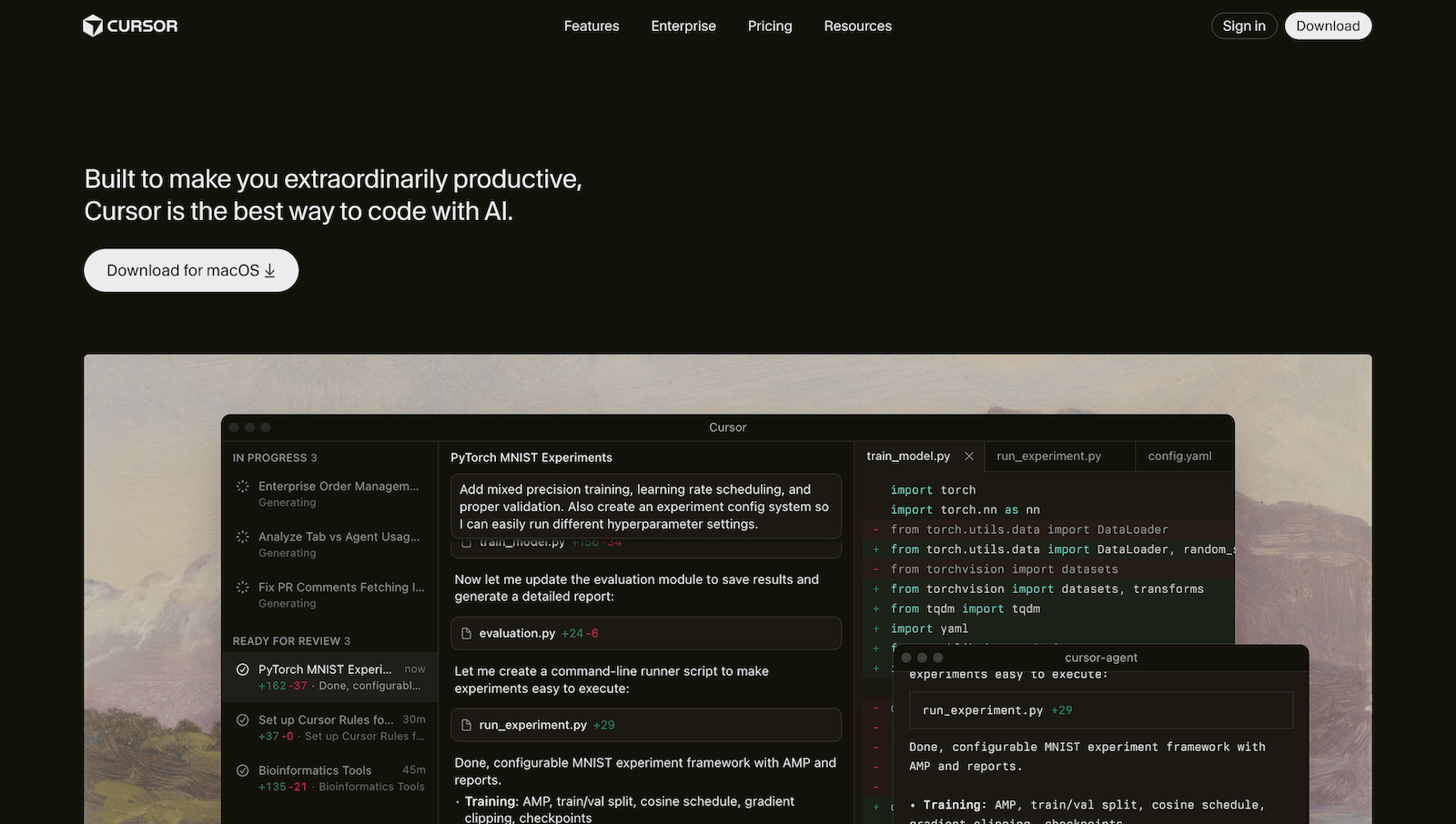
Cursor is a fork of VS Code built around AI, with its own Composer model for agent-style work. The free Hobby tier gives you a limited number of agent requests and tab completions, no credit card needed, and students get Pro free with a school email. Paid plans start at $20/month.
One setting to change before you start: turn off autocomplete. Both tools will suggest the next line as you type. While you're building fundamentals, switch that off. If the editor finishes your loops and functions for you, you never build the muscle memory of writing them yourself, and that repetition is a big part of how the basics become automatic. Keep the chat, lose the autocomplete. Use the chat to ask about code you've already written, get it critiqued, or explore other ways to solve something, and let your own fingers write the code.
Also useful: ChatGPT and Claude
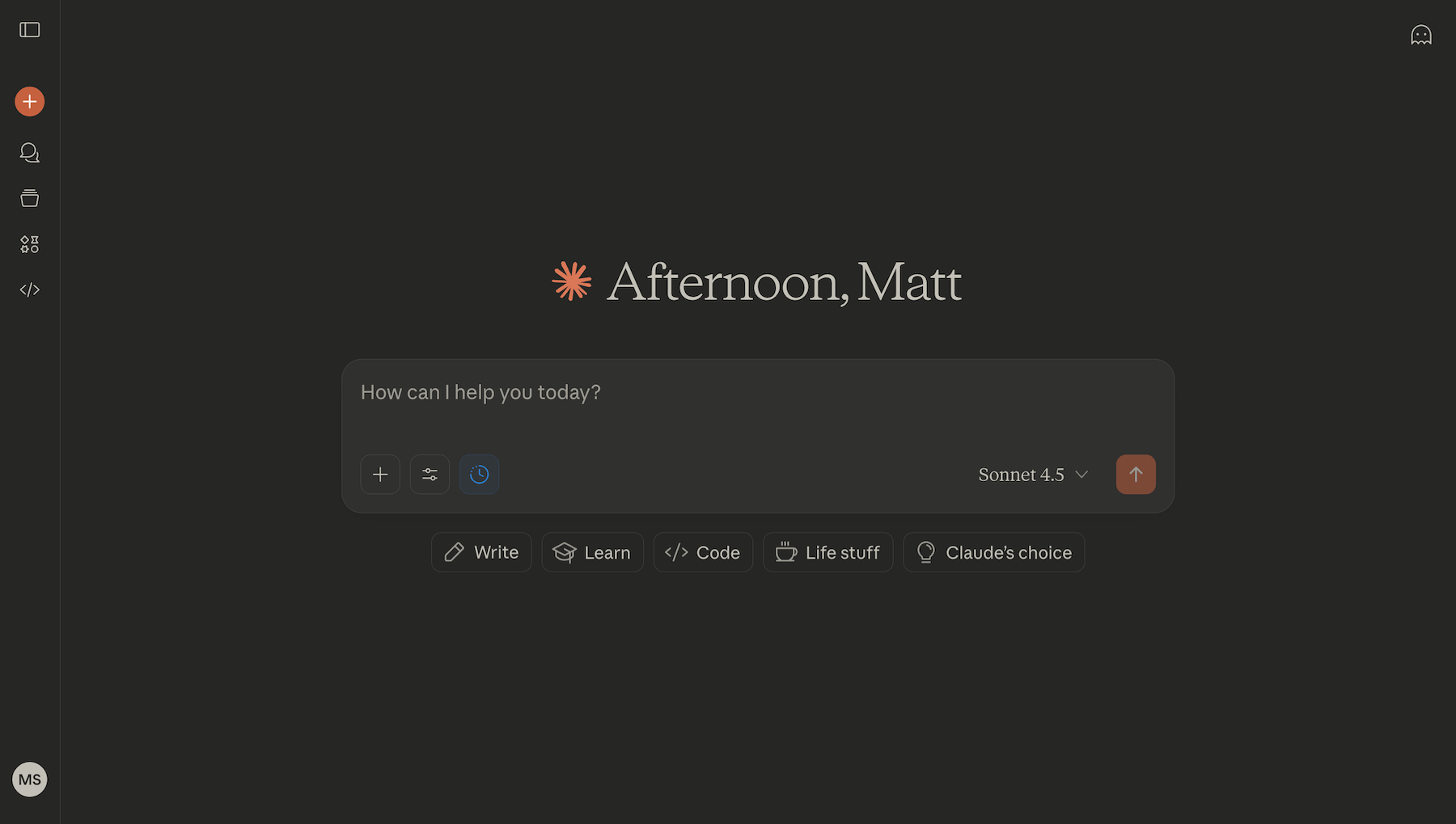
Standalone chatbots like ChatGPT and Claude are still handy, especially for talking through a concept away from your code or asking "explain this like I'm new to it" questions. Both have free tiers that cover what a beginner needs, and paid plans run around $20/month each if you hit the daily limits (you probably won't, if you're learning rather than generating). Like I said, they can't see your project, so you're pasting code in and out. Keep them as a backup to your editor's chat.
Which should you choose?
Don't overthink this. Pick Cursor or VS Code with Copilot, start on the free tier, turn off autocomplete, and get going. If you're a student, verify with both, since both give students their paid tier for free. The tool matters less than the habit of using its chat to understand code rather than to write it for you.
Privacy and data warning
Quick heads up before you start: never send sensitive code to AI tools. Most services use your inputs for training unless you opt out. That's fine for personal learning projects, but never paste:
- Work code (from a job or internship)
- API keys, passwords, or credentials
- Proprietary or confidential code
- Anything personal about real people (names, emails, payment details)
If you're working professionally, check your company's AI policy first. For learning projects you're fine. Scrub any real API keys before pasting code in.
How your AI use should change as you grow
How much you lean on AI should shift as your skills do. What helps a confident developer can hold a beginner back. Lean on it lightly at the start, and more as your fundamentals get solid.
A note on the timeline below: the month ranges are a guide, not a rule. From a standing start, going from zero to hireable as a self-taught developer tends to take around 18 months of steady effort (not necessarily full-time, but consistent). Push harder and you might do it in 12. The skills matter, not the calendar, so move on when you've got the skills for the next stage, not when a date says so.
The progression at a glance:
- Months 0-3 (finding your feet): Maximum fundamentals, minimum AI. No code generation, autocomplete off. AI explains concepts and errors; you write everything.
- Months 3-6 (building confidence): AI reviews and critiques what you've written. Still your code, your hands.
- Months 6-12 (getting independent): AI helps you plan and learn patterns. You're working toward being able to build our Advanced challenges by hand.
- Months 12-18 (job-ready): Once you can build Advanced and Guru challenges by hand, you're ready to let AI start writing code under your direction.
Watch for one milestone in particular. Once you can build our Advanced and Guru challenges by hand, to a standard you're proud of, you're ready to let AI write real code for you and start learning to direct it. Before then, you don't have the judgment to tell good output from bad, and that's the skill directing AI is built on.
Our product challenges are built to develop that skill. They're a newer format alongside our design challenges: instead of implementing a design, you work from a product spec, make the design and product calls yourself, and collaborate with AI to build and ship a real product. They start at intermediate level, so they're a natural next step once your fundamentals are solid, rather than a starting point.
Stage 1: Finding your feet (0-3 months)
You're working through the fundamentals: variables, functions, loops, conditionals. You're building small projects like calculators and to-do lists, and still Googling syntax regularly.
The strategy: keep AI in the tutor seat. Use the chat in your editor to explain concepts you're stuck on, translate error messages into plain English, and point you toward what to learn next. It answers questions; it never picks up the pen.
Boundaries. Don't ask it to write code ("write a function that…" is off limits). Type every line yourself. For syntax, reach for the docs first, not AI. And sit with an error for 10-15 minutes before asking for help. These debugging steps are a good starting routine.
Why do it the hard way? Because the friction is where the learning happens. Syntax only becomes automatic through repetition. Debugging instinct only develops through struggle. When you hit a problem you can't immediately solve, you've found a gap in your knowledge and a chance to close it. Sidestep it with AI and you skip the part that does the teaching.
Red flags to watch for:
- Copy-pasting code you don't understand
- Reaching for AI instead of the docs for syntax
- Can't build simple projects without AI
- Using "write this" prompts instead of "review this"
Tools: Cursor or VS Code with Copilot, free tier, autocomplete off, chat on. That's it.
Success marker: You can build simple projects without asking AI to write any code.
Practice with:
- Recipe page – semantic HTML practice
- Contact form – basic validation
- Other newbie and junior challenges
- Our first few learning paths
Stage 2: Building confidence (3-6 months)
You're comfortable with basic syntax. You're building projects with API calls and some state management, starting to debug on your own, maybe picking up React or Vue.
The strategy: more range, still controlled. Use AI for pattern recognition ("What's the common pattern for handling async data in React?" or "Show me 2-3 ways to solve this, with the tradeoffs"). Ask for reviews after you write ("I wrote this component [paste]. What would you improve, and why?"). Explore how concepts connect.
Boundaries. Don't ask it to write components from scratch. You write the first draft; AI reviews after. Don't accept code you can't explain line by line. And don't use AI to skip properly learning a framework, work through the docs first.
What opens up. AI becomes a debugging partner once you've done the thinking: "Here's what I've tried: [list]. What should I try next?" And a refactoring coach: "This works but feels messy. How would you clean it up, and why?"
Red flags to watch for:
- Stuck without AI (schedule some no-AI days)
- Leaning on the chat to write whole features (rebuild them yourself)
- Can't explain framework patterns you're using (back to the docs)
- Asking "build this" instead of "how do I build this"
Tools: Same as before, with the chat doing more work. Autocomplete still off.
Success marker: You can explain every line in your projects.
Practice with:
- Weather app – API and async data
- Space tourism site – multi-page navigation
- Calculator app – state management
- Other intermediate challenges
- Our Advanced CSS techniques and JavaScript frameworks and libraries paths
Stage 3: Getting independent (6-12 months)
You're building portfolio projects on your own, comfortable in your main framework, making architectural decisions and debugging without hand-holding. You might be eyeing job applications.
The strategy: planning partner, not author. Use AI to think through structure ("What's a sensible file structure for this feature?" or "What are the tradeoffs between approach A and B?"), to learn advanced patterns, and to spot performance issues. This is where Cursor's chat earns its place: use it to plan how code fits together across files, then write those files yourself.
What opens up. As you get close to building Advanced challenges by hand, you can start letting AI generate boilerplate you fully understand and review, things like a basic Express server setup, as long as you can explain every middleware it adds. You're speeding up the tedious parts and keeping the thinking yourself. AI can also help with big refactors where you make the calls and it does the mechanical work.
Boundaries. Don't let it make architectural decisions you don't understand; those have long tails. Don't copy-paste whole features even when you "could" follow them, type them out, because typing is part of how it sticks. And by now you should be catching most of your own bugs, so lean on AI only for the obscure ones.
Warning signs:
- Building projects you can't explain in an interview (rebuild the key parts without AI)
- Can't code in a technical interview (start practicing without AI now)
- Using AI to write entire features (scale back to planning)
- Uncomfortable coding without AI on hand (take a couple of weeks off it)
Tools: All of them in reach. The free tiers still cover most of what you need. Paid plans are optional if the limits start to bite.
Success marker: You can build portfolio projects with or without AI. Slower without it, but never blocked.
Building your portfolio. The projects you build now are the ones you'll talk through in interviews. Pick two or three substantial ones you can explain in depth. If you used AI, make sure you could rebuild the core from scratch, that's your interview insurance.
Practice with:
- In-browser markdown editor – full editor with preview
- Bookmark manager – CRUD operations and persistence
- Audiophile e-commerce – cart and multi-page flows
- Kanban task manager – complex state and drag-and-drop
- Other intermediate, advanced, and guru challenges
- Our Introduction to front-end testing path
Stage 4: Job-ready (12-18 months)
You're job-ready or already working as a junior. You're building complex apps, making confident architectural calls, maybe mentoring newer developers. This stage is about using AI at full strength while keeping your own skills sharp.
The strategy: a true pair programmer. You stay in control and use AI's speed, trusting your judgment to override anything that doesn't fit. Use it for rapid prototyping and testing ideas while keeping the skills to change anything it produces. Learn how senior engineers approach hard problems and what production-readiness involves.
Agentic tools make sense now. These work more independently, running tasks, editing across files, executing terminal commands. Terminal-based agents like Claude Code and OpenAI's Codex CLI run in your command line. Tools like Warp and Cline give AI more room to work. Cursor's agent mode handles autonomous tasks. And prototyping tools like Bolt.new and v0 spin up whole apps for quick idea-testing (the generated code still needs your review before you trust it).
The difference from earlier stages is that you now have the judgment to know when AI is wrong and the skill to fix it. These tools make changes that are hard to review at a glance, so the rule holds: if you can't confidently validate the output, you're not ready for that tool yet.
You can comfortably:
- Let AI write boilerplate you understand (test setup, config, basic CRUD)
- Use it for large refactors (you review, you don't micromanage)
- Pick up new tech faster with AI, still backed by the docs
- Explore agentic workflows, checking everything as you go
Keep an eye on three things:
- Rusty skills: schedule regular manual coding sessions and side projects without AI; teaching beginners helps too.
- Overconfidence: still read the docs for new tools; don't let AI quietly fill gaps in what you know.
- Blind spots: AI misses security holes, performance issues, and edge cases. Your judgment is the last line of defense.
Tools: Whatever the job needs. Pay for the tiers that earn their keep. Use agentic tools for well-defined tasks.
Success marker: You move faster with AI, and the skills underneath are yours.
Career focus. You're job-hunting or working as a junior, so aim portfolio work at professional-level projects that show production thinking.
Practice with:
- Invoice app – complex state and forms
- Product feedback app – nested data and comments
- Other guru challenges
- A product challenge – our spec-driven format. You get a product spec instead of a design, make the product and design decisions yourself, and direct AI through the build. It's built around the AI-collaboration skills employers now look for.
For interview prep, our Getting job ready path helps. Moving from learning to working doesn't mean you stop learning. You're just learning on the job now, and most employers will expect you to be comfortable with AI tools from day one.
The red flag self-assessment
Here's a quick check on whether you're using AI to learn or to avoid learning. Be honest with yourself. This isn't about feeling bad, it's about catching problems early, while they're still easy to fix.
The assessment
Answer YES or NO to each. The questions marked 🚨 are the critical fundamentals; if those are missing, they'll hold back everything else.
- 🚨 Can you write a simple function without AI? (e.g., filter an array, fetch from an API) — 🚩 NO = major red flag
- 🚨 Do you understand every line of code in your projects? — 🚩 NO = AI has written too much
- 🚨 Could you explain your code to another developer without looking? — 🚩 NO = comprehension gap
- Can you debug errors without asking AI first? — 🚩 NO = leaning on AI to think
- Do you try to solve problems yourself before asking AI? — 🚩 NO = AI has become your first resort
- 🚨 Can you write code during technical interviews? — 🚩 NO = interview risk
- Would you be fine if your editor lost AI features for a day? — 🚩 NO = dependency
- Do you start with the docs before asking AI? — 🚩 NO = a skill worth rebuilding
- Can you read and understand other people's code without AI? — 🚩 NO = reading gap
- When AI suggests code, do you adapt it to fit your style? — 🚩 NO = passive acceptance
Scoring
Any critical (🚨) question = NO: Make this your focus before moving on. These gaps hold back your progress.
0-2 NO (none critical): You're using AI well. Keep it up, and check back monthly.
3-5 NO: A few warning signs. Look at where you said NO and practice those skills without AI for a couple of weeks, then retake it.
6-8 NO: Dependency is setting in. Worth acting on now: cut back AI for a month, rebuild a couple of projects from scratch, and focus on the fundamentals you've been skipping. It's fixable, but it takes deliberate effort.
9-10 NO: This one needs a reset. Take a two-week break from AI and work through some beginner material without it. Ask yourself whether you've learned to code or just learned to use AI. Either way, you can close the gap from here.
Bookmark this and retake it on the first Friday of each month. Tracking it over time helps you catch dependency creeping in before it sets.
If the assessment worried you
If it turned up real problems (6+ NO answers, or any critical gaps), that's fixable, and spotting it now is the hard part done. There's a two-week reset plan in the FAQ below, under "What if I've already become dependent on AI?" Then pick up the stage-based guidance from where your skills are now, not where your projects suggest they are.
A portfolio only counts for as much as you can explain and rebuild of it.
Practical prompt templates
If the assessment showed some gaps, these templates help you course-correct. Think of them as training wheels for better AI habits, concrete ways to keep AI in the tutor seat. Copy them, adapt them, and build your own library over time.
Concept learning
"Explain [concept] to me like I'm a beginner. Then give me an analogy that makes it click."
"What's the difference between [concept A] and [concept B]? When would I use each?"
"I just learned about [concept]. What should I learn next to build on it?"
Debugging
"I'm getting this error: [paste]. Before you tell me how to fix it, explain what it means and where I should start looking."
"I think the bug is in this section [paste]. Am I looking in the right place? What should I check first?"
"I've tried [list]. What debugging steps am I missing?"
Code review
"I wrote this [function/component]: [paste]. Walk me through what it does line by line. Then tell me: 1) what I did well, 2) what I could improve, 3) what I might be missing."
"This works but feels messy: [paste]. How would you refactor it, and why those changes?"
Building without generating
"I want to build [feature]. Don't write code for me. Instead: 1) what are the steps? 2) what concepts do I need to understand? 3) what should I research first?"
"I'm about to write [function/component]. First: what edge cases should I consider? What patterns are common for this? What mistakes do beginners make here?"
Pattern recognition
"Show me 3 ways to solve [problem]. For each: when to use it, pros and cons, and complexity."
"I keep seeing this pattern: [paste]. What's it called, and why would someone use it?"
Framework learning
"I'm learning [framework]. What are the 3-5 core concepts I need before building projects?"
"In [framework], I see [pattern] everywhere. Why does it exist, and what problem does it solve?"
The thread through all of these is the same: ask for understanding, and keep the implementation in your own hands.
FAQs
Should I use AI from day one?
Yes, in the tutor role. Use your editor's chat to explain concepts and translate error messages. Keep autocomplete off and don't have it write code for you. That gives you the upside without the dependency.
Will using AI make me a worse developer?
Only if you use it to skip understanding. Follow ask-don't-copy and take the self-assessment monthly. As long as you're using AI to learn faster rather than to dodge the hard parts, you'll be fine. When the gaps are there, they show up quickly in interviews and on the job.
How do I know if I'm too dependent on AI?
Take the self-assessment above. If you can't write basic code without AI, feel anxious coding without it, or can't explain your own projects, you've leaned too far. More than five NO answers is a clear signal.
Should I pay for ChatGPT Plus or Claude Pro as a beginner?
No. The free tiers are plenty, and as a beginner you'll mostly be in your editor's chat anyway. Only upgrade if you're consistently hitting daily limits, which is unlikely if you're using AI to learn rather than to generate. Put the money toward other learning resources.
Is GitHub Copilot bad for learning?
The chat is useful from day one. It's the inline autocomplete you want off early, because that's the part that stops you building muscle memory for basic syntax. Turn off the suggestions, keep the chat, and Copilot is an asset rather than a crutch.
Can I build a portfolio with AI help?
Yes, as long as you can explain every line. Portfolio projects should show your understanding, not AI's. A good test: can you rebuild the core from scratch without AI? If not, rebuild it until you can.
What if I've already become dependent on AI?
Take a two-week break from AI. Rebuild a few key projects from scratch, and focus on the fundamentals you've skipped. Work back through some beginner material if you need to. Skills rebuild at any stage, and the thing that matters is recognizing it and acting now.
Should I mention using AI in job applications?
Yes, framed well. Employers expect two things from juniors now: solid fundamentals, and the ability to direct AI to a good result. "I use AI to understand concepts faster and to move quicker once I know what I'm building" lands differently from "I use AI to write my code." Show both that you understand what AI produces and that you can steer it.
Putting it into practice
AI is going to be part of your work for your whole career, and learning to use it well isn't optional. In Stack Overflow's 2025 Developer Survey, 84% of developers said they use or plan to use AI tools in their work, up from 76% the year before. Most employers now expect juniors to be comfortable with these tools from day one. Using it well has little to do with how often you reach for it. What matters is whether it's helping you grow as a developer.
AI now lets people build real things without understanding a single line of code, and that's useful. But to do this as a professional, you need to understand every line, because your judgment is what makes the AI worth having. The partnership only pays off if you bring real skill to it.
Here's what to do in the next 24 hours:
- Take the self-assessment. It's 10 questions and it'll tell you where you stand.
- Be honest about your stage, based on your skills, not how fancy a tool you want to use. Start where you are.
- Choose one editor-based tool (Cursor or VS Code with Copilot), turn off autocomplete, and use the chat to understand code, not to generate it.
- Commit to ask-don't-copy for your next three projects. No code generation, only explanations. This is the habit that prevents dependency.
- Set a monthly reminder to retake the assessment, first Friday of the month.
- Join the conversation with other developers working this out in Frontend Mentor's Discord.
Then start building. Pick a challenge that fits your stage and work through it with AI in the tutor seat. Build things you can explain line by line, because if you can't explain it, you don't own it.
Happy coding (and prompting)!
Take your skills to the next level
- AI-powered solution reviews
- 50+ portfolio-ready premium projects
- Professional Figma design files