

Basic HTML form-submission using JavaScript.

Solution retrospective
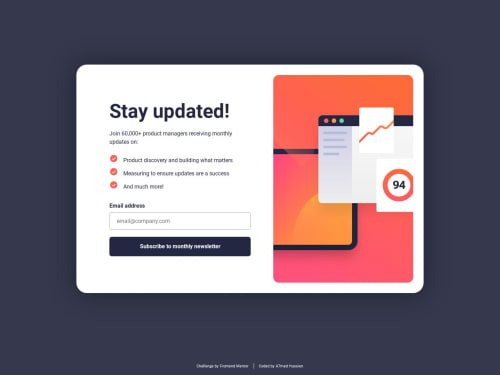
I'm most proud of how the Newsletter sign-up form with success message solution handles user input and provides immediate feedback. The form validation effectively checks for both empty fields and invalid email formats, displaying clear messages like Valid email required to guide the user. The transition from the sign-up form to the success message is smooth and enhances the overall user experience.
Next time, I would:
- Refactor the JavaScript code into more modular functions for easier maintenance.
- Enhance the user experience with subtle animations for error messages and the success state.
- Implement additional accessibility features, such as more descriptive ARIA attributes, to ensure the form is fully navigable via keyboard and screen readers.
-
Form Validation Complexity: Crafting reliable validation logic to handle both empty input fields and improperly formatted email addresses was challenging. I overcame this by researching best practices, using regex-based validation, and iteratively testing to ensure robust error handling.
-
User Feedback Integration: Providing clear and immediate visual feedback—by toggling CSS classes to display error messages and success states—required careful manipulation of the DOM. Iterative debugging and testing helped refine the logic and visual cues.
-
Responsive Design: Ensuring the layout remained optimal across different devices involved fine-tuning CSS media queries and adjusting layout properties. Continuous testing on various screen sizes was key to achieving a consistent and accessible design.
I appreciate any feedback or insights to help me refine and improve this project further!
-
JavaScript Optimization:
- Are there best practices or design patterns for further modularizing the validation and submission logic, perhaps by using ES6 modules?
-
Enhanced User Experience:
- What techniques would you recommend for adding smooth transitions or animations to error messages and the success state without affecting performance?
-
Accessibility Improvements:
- Which additional ARIA attributes or semantic HTML enhancements could improve the form's accessibility?
- Do you have any suggestions for optimizing focus management to ensure a seamless experience for keyboard users?
Please log in to post a comment
Log in with GitHubCommunity feedback
No feedback yet. Be the first to give feedback on Amhed Hussien’s solution.

Join our Discord community
Join thousands of Frontend Mentor community members taking the challenges, sharing resources, helping each other, and chatting about all things front-end!
Join our Discord