

Browser Extensions Manager UI – HTML, CSS & JavaScript

Solution retrospective
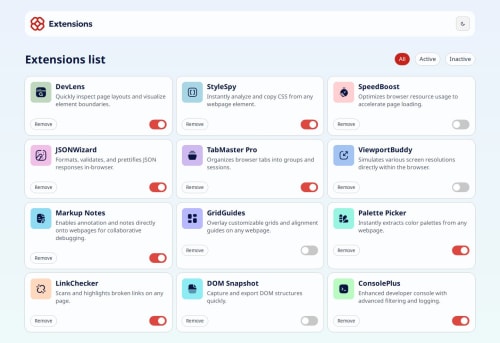
This project helped reinforce my understanding of dynamically rendering content using JavaScript. I began by building out the HTML structure, then added interactivity with JavaScript — such as toggling extension states, filtering extensions by status, and switching between light and dark mode. Lastly, I applied the CSS styling to match the design.
What challenges did you encounter, and how did you overcome them?One challenge I faced was with the logo image. It uses dark text, which becomes hard to see in dark mode. Since the image was provided as-is, I didn’t find a simple solution without altering the asset, so I left it that way.
Overall, this challenge helped me strengthen my JavaScript DOM manipulation and CSS layout skills, particularly using Grid to build responsive components.
What specific areas of your project would you like help with?I’d appreciate guidance on how to handle assets like logos in dark mode — particularly when they’re provided with dark text. Should I request alternate assets, use filters, or apply a workaround with CSS?
Also, I’d love feedback on my JavaScript logic for dynamically rendering and filtering extensions. Is there a more efficient or scalable pattern I could be using?
Please log in to post a comment
Log in with GitHubCommunity feedback
No feedback yet. Be the first to give feedback on Abdulhamid Abdullahi Sulaiman’s solution.

Join our Discord community
Join thousands of Frontend Mentor community members taking the challenges, sharing resources, helping each other, and chatting about all things front-end!
Join our Discord