

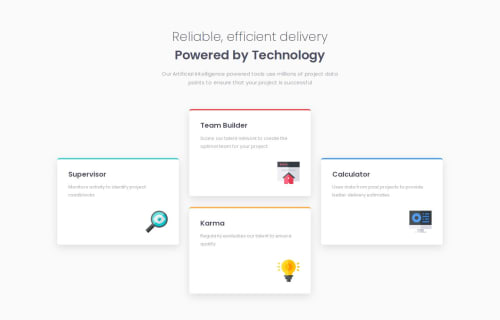
Four card feature section using CSS grid

Solution retrospective
Using CSS grid to align the cards as per the design on larger screen-size.
What challenges did you encounter, and how did you overcome them?-
For cards at first I used media-queries to give it a height of 250px on larger screen-size, but I was able to use CSS grid on the div(.card__grid) wrapped around cards, and adjust the height using grid-template-rows.
-
I was able to align icons (.card__img) as per the design by applying CSS Grid on the card (.card).
-
I couldn't adjust the icon size (.card__img) without using media-queries. I tried using width (89.07% ) and max-width (64px), then I also tried applying min-width (57px) with either width (100%) or max-width (64px). Can someone please help understand why it might not have worked and how could i solve this?
-
Could someone please explain why when I reduce the margin between two cards, the size of the cards reduces as well?
Please log in to post a comment
Log in with GitHubCommunity feedback
No feedback yet. Be the first to give feedback on shruticodes01’s solution.

Join our Discord community
Join thousands of Frontend Mentor community members taking the challenges, sharing resources, helping each other, and chatting about all things front-end!
Join our Discord