

Javascript Interactive Card

Solution retrospective
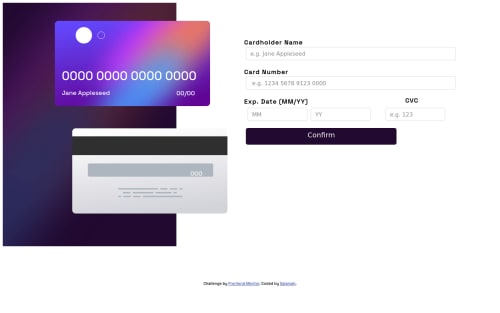
One area I find difficult when styling was making the two cards overlap in a mobile environment. According to the design, the Front-card is supposed to cover some part of the Back-card but when I reduced the margin and changed the position of the Front-card using CSS transform properties, the reverse happened and the front-card was kind of staying behind the back-card. What I did to solve this was to add both card twice in my HTML; one for desktop and mobile device while setting the display to none for each device to avoid repetition. So, for the mobile HTML, I added the back-card image first before adding the front-card image(the reverse of what I did for desktop ) and somehow that solved the problem. I'm not really sure that it's a good practice, so I would really like to know if there's a better way to go about that without having to write the markup twice... Thanks in anticipation
Please log in to post a comment
Log in with GitHubCommunity feedback
No feedback yet. Be the first to give feedback on Salamah’s solution.

Join our Discord community
Join thousands of Frontend Mentor community members taking the challenges, sharing resources, helping each other, and chatting about all things front-end!
Join our Discord