

Submitted over 2 years agoLVL 4A solution to the Dictionary web app challenge
Responsive Theme Based Dictionary Web App Using Bootstrap & JS OOPS
accessibility, bootstrap, progressive-enhancement, theme-ui, fresh

P
@KrishnaVishwakarma1595
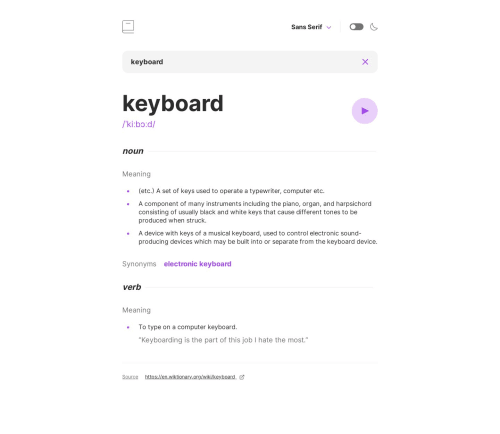
Solution retrospective
Hello, Mentors
This was really a fun-loving challenge for me. I enjoyed building this responsive solution for a dictionary web app. I used Bootstrap for the dropdown , Dictionary API to fetch the details for the search word.
My Learnings
- Writing semantic HTML5 markup with HTML accessibility
- Working with CSS Grid/Flexbox
- Mobile/Desktop first workflow
- Bootstrap CSS Framework
- Form Validation & Handling
- Browser local storage to store user theme & font style preferences
- Third-party API Integration
What users can able to do
- Search for words using the input field
- See the Free Dictionary API's response for the searched word
- See a form validation message when trying to submit a blank form
- Can listen the audio file for a word when it's available
- Switch between serif, sans serif, and monospace fonts
- Switch between light and dark themes
- View the optimal layout for the interface depending on their device's screen size
- See hover and focus states for all interactive elements on the page
- Bonus: As per their computer preferences of color scheme they will have default theme automatically activated.
Resource
Code
Loading...
Please log in to post a comment
Log in with GitHubCommunity feedback
No feedback yet. Be the first to give feedback on Krishna Vishwakarma’s solution.

Join our Discord community
Join thousands of Frontend Mentor community members taking the challenges, sharing resources, helping each other, and chatting about all things front-end!
Join our Discord