

QR code component challenge solution using React, Vite, and BEM CSS

Solution retrospective
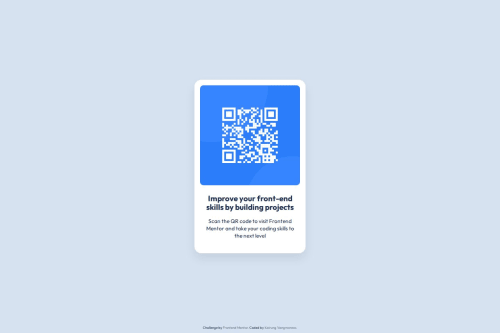
I am most proud of refactoring this challenge into a clean, component-based React application with strict BEM CSS methodology. By switching from manual position: absolute centering to a Flexbox layout on the body, I achieved a fully responsive, pixel-perfect design that seamlessly adapts to different screen sizes.
Next time, I would consider exploring CSS Grid for broader layout structures and adding automated visual regression tests to streamline the pixel-perfect verification process even further.
What challenges did you encounter, and how did you overcome them?My main challenge was achieving pixel-perfect alignment without altering the card’s position when adding secondary elements like the footer attribution. Initially, combining vertical centering with footer positioning caused spacing conflicts.
I overcome this by using image overlay techniques and the macOS Preview tool for precise pixel measurements, allowing me to refine spacing, card dimensions, and typography hierarchy. I also optimized the layout structure using CSS variables and flexbox alignment to ensure the card stays dead-center without layout shifts.
What specific areas of your project would you like help with?I would love feedback on:
- CSS & BEM Best Practices: Is the class naming structure (
.card,.card__qr-code,.card__content) clean and adhering well to BEM standards? - Accessibility (a11y): How can I further improve screen reader support for simple component cards like this?
- Layout Techniques: Any suggestions on handling absolute-positioned footers on ultra-short screen heights (landscape mobile view)?
Please log in to post a comment
Log in with GitHubCommunity feedback
No feedback yet. Be the first to give feedback on Kairung Vangmanaw’s solution.

Join our Discord community
Join thousands of Frontend Mentor community members taking the challenges, sharing resources, helping each other, and chatting about all things front-end!
Join our Discord