


New challenge: Build a color palette generator
We've launched a new premium challenge: a color palette generator with five palette types, color locking, and one-click copying. Great practice for JavaScript state.

Table of contents
We've launched a new premium challenge: a color palette generator. You'll build paintbox, a tool that makes five-color palettes, keeps the colors you lock, and copies any hex code with one click. It's an intermediate-level project that helps you practice JavaScript state, a little color math, and an interface that stays readable on any color.
It's also our first challenge with an interaction pack. The design files show how every state looks, and the pack shows how the interface moves between them, so you won't have to guess how a menu opens or how long a message stays on screen.
What you'll build
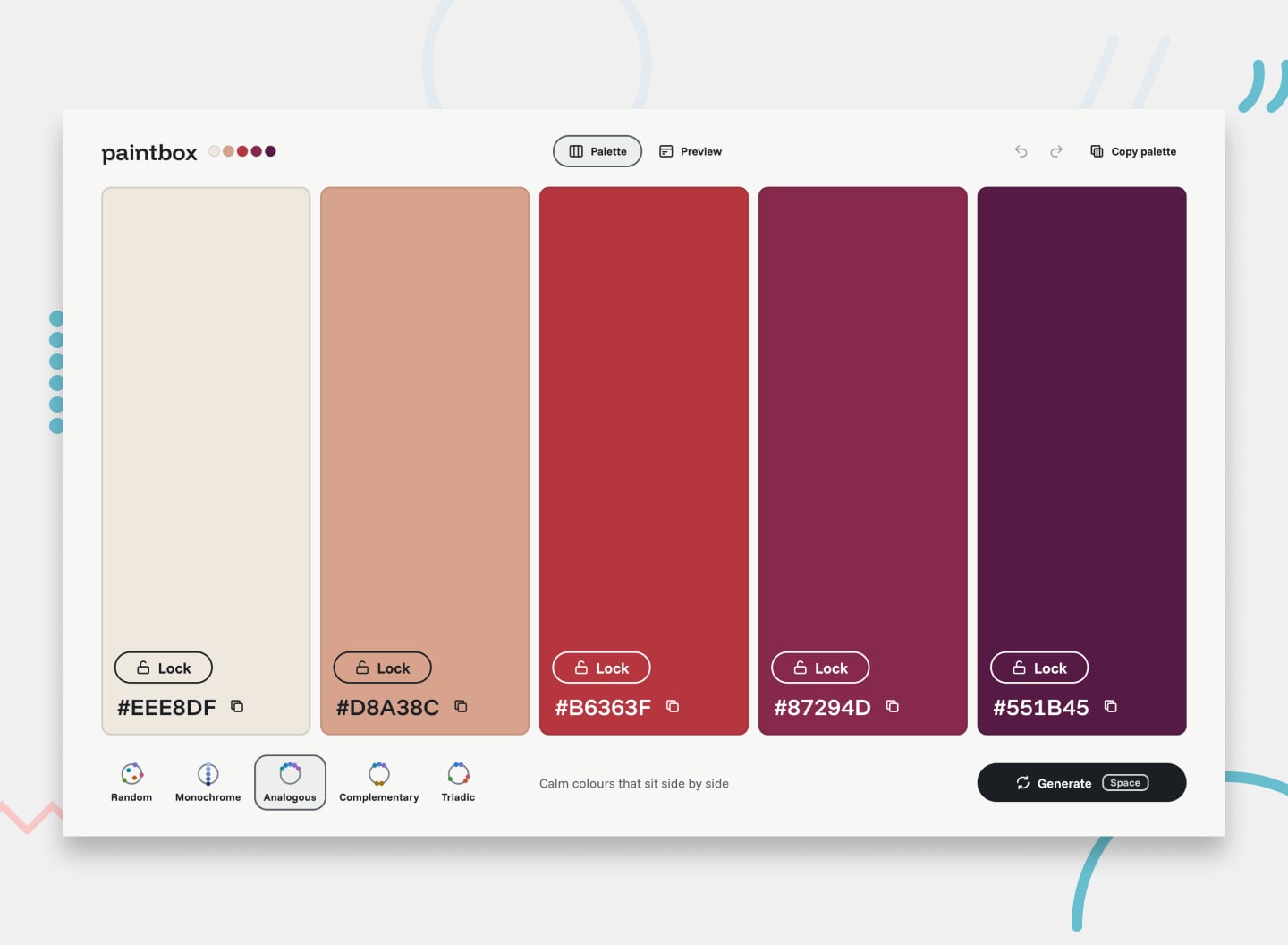
paintbox has two tabs, Palette and Preview, and a handful of pieces that work together:
- Five swatches, each with a Lock toggle and a hex code you click to copy
- Five palette types: Random, Monochrome, Analogous, Complementary, and Triadic
- A Generate button, plus the space bar from anywhere on the page
- A Preview tab that shows the palette on a sample web page, with each color given a job: page, cards, buttons, footer, or text
- Messages for a copied color, a failed copy, and a palette that's fully locked
- Undo and redo, a menu that copies the whole palette, the palette kept in the URL, and a dark preview
You never know which colors you'll get. Some palettes come out pale, some dark, and some clashing, so every hex code and label has to switch between light and dark text to stay readable.
What's included
- The Figma design file, with every layout and state
- The interaction pack: an interaction spec covering what triggers each change, how long it takes, and what happens for keyboard and screen reader users, plus 14 short videos of each flow on desktop and mobile
- A starter HTML file with all the content written out, including every message and screen reader announcement
- A
data.jsonfile with the first palette and the five palette types - SVG icons, the logo, and four landscape illustrations that take on the palette's colors when you inline them
- The fonts (Funnel Sans and Funnel Display)
- A README with the user stories, the rules that change what you build, and how each palette type makes its colors
What you'll practice
- Managing state for five colors, their locks, the palette type, and the current tab
- Building palettes in HSL from a starting hue and a set of lightness bands
- Calculating contrast ratios to pick readable text for any color
- Copying to the clipboard, and telling the user honestly when it fails
- Keeping a history for undo and redo, and the palette in the URL
- Building accessible toggle buttons, a radio group, and polite screen reader announcements
- Adding a keyboard shortcut that leaves buttons and links working as usual
How to start
Head to the challenge page, download the starter code and the Figma file, and read through the README. It lists the user stories, sets out the rules that change what you build, and walks through how each palette type makes its colors. There's a test palette in there too, so you can check your text colors against some awkward ones.
If AI tools are part of your workflow, lean on them to understand concepts and review your code, not to generate code. The palette logic is the part worth writing by hand, since that's where the HSL and contrast practice comes from.
Some ideas to test yourself
Once you've matched the design, here are a few ways to push the project further:
- Expand each color into a 50 to 950 scale of tints and shades, ready to export
- Fix any text pair that fails contrast with one click
- Add an app dashboard to the preview, beside the landing page
- Pull a palette from a photo the user uploads
- Generate a DESIGN.md from the palette for a coding agent to follow
- Let users sign up and save their favorite palettes
Join the community
Share your progress in our Discord community, ask for feedback on your solution, and compare your build against others.
Take your skills further
paintbox is a premium challenge, so the starter code, the Figma file, and the interaction pack come with a Pro membership. If you're not a Pro member yet, you can find out more at frontendmentor.io/pro.
Happy coding!
Get feedback on every solution
- AI code review on every solution
- Re-run reviews as often as you like
- Premium projects and Figma design files