

Vibe coding and what it means for learning to code in 2026
AI can now write code from plain-English descriptions. We break down where vibe coding helps, where it creates problems, and what you should focus on as a learner.

Table of contents
You've probably tried it yourself by now — or at least watched someone do it. You describe what you want, AI writes the code, and somehow it works. No syntax to memorize. No documentation to wade through. Just vibes.
This is vibe coding: an AI-assisted approach where you describe what you want in plain English and let AI generate the code. You don't review it. You don't try to understand it. You accept the AI's output and move on.
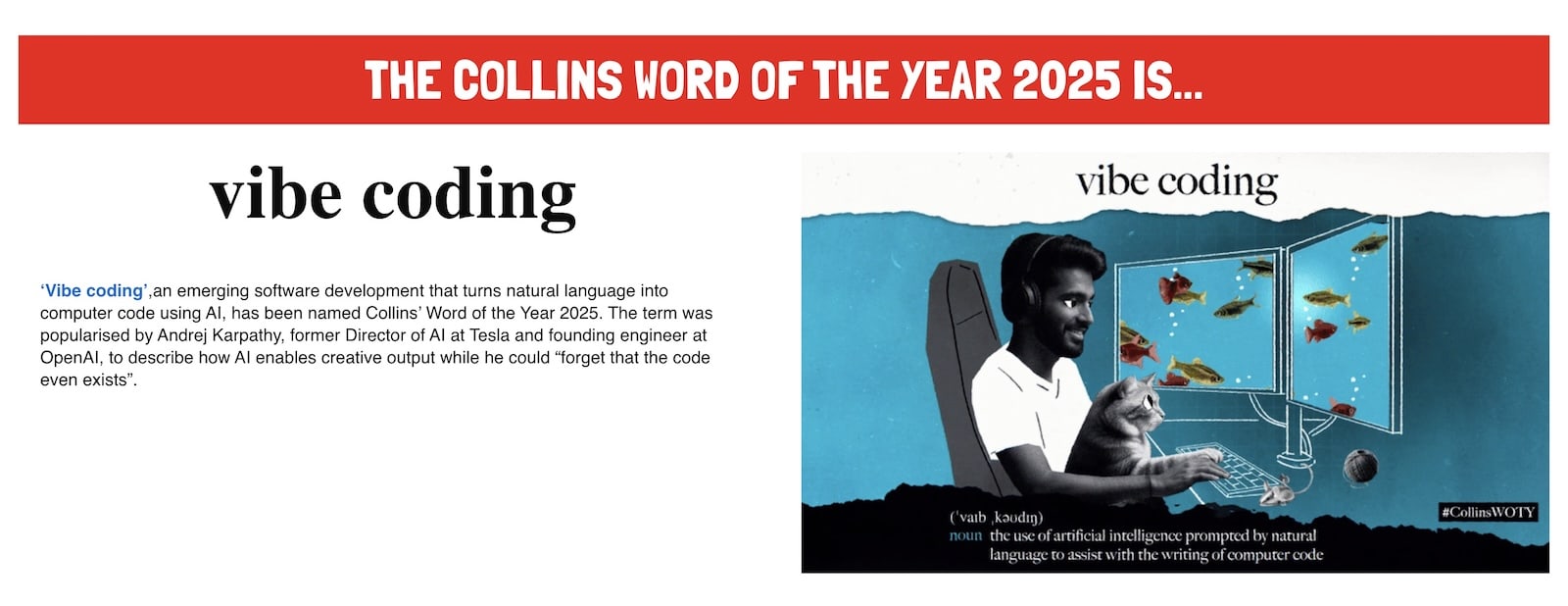
Andrej Karpathy coined the term in February 2025, describing it as "fully giving in to the vibes" and accepting code that looks roughly right. Collins Dictionary even named it their 2025 Word of the Year. A throwaway tweet became mainstream vocabulary within months.
If you're learning to code, the question is unavoidable: Does this make learning pointless? We see variations of this in our Discord all the time. If AI can write the code, why spend months learning to do it yourself?
The short answer is no; learning to code remains highly valuable. But understanding why means looking at where vibe coding helps, where it falls apart, and what still matters for building real skills.
What is vibe coding?
AI tools have gotten good enough to generate working code from natural-language descriptions. You describe what you want. The AI writes it. You run it. If it works, great. If it doesn't, you describe the problem and let the AI try again.
Traditional coding means writing and understanding every line. Using AI as an assistant means staying in the driver's seat while it helps. Vibe coding skips both.
The appeal of vibe coding
Vibe coding is genuinely useful in the right context.
You can go from idea to working prototype in minutes. The barrier to building software drops to zero. Tools like Cursor, Replit, V0, and Claude Code have made this accessible to anyone who can describe what they want in plain English.
I use V0 to prototype new challenges on Frontend Mentor before handing them over to our designer. It helps me define the UX and ensure that the different features and user journeys make sense.
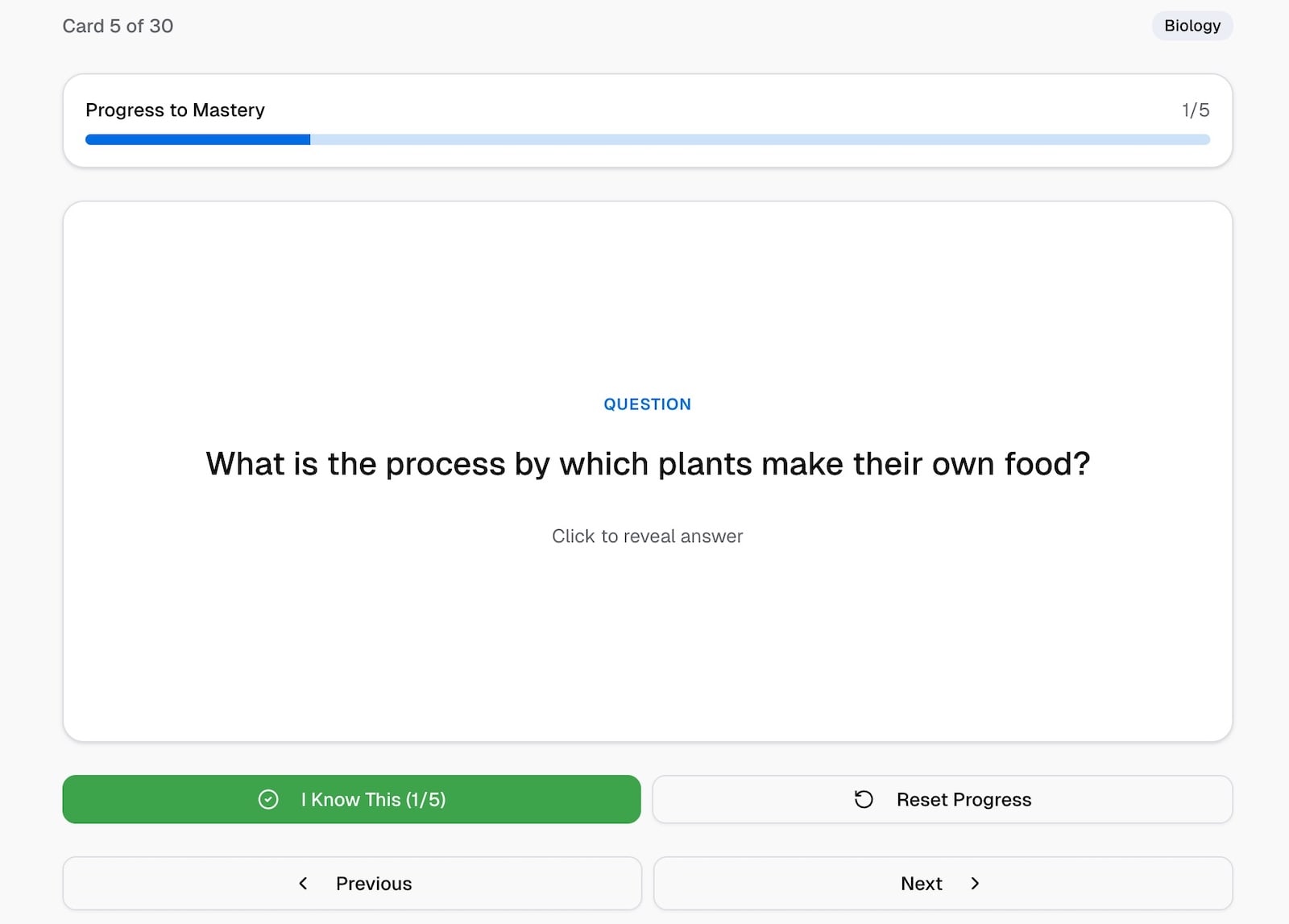
V0 prototype for our Flashcard App challenge.
Non-technical founders can validate ideas without hiring developers. Experienced programmers can skip tedious boilerplate and focus on harder problems. Y Combinator reported that 25% of their Winter 2025 batch had codebases that were 95% AI-generated—early-stage products shipped in days that would have taken months.
But building something and understanding it are different skills. When you skip the understanding, problems stack up.
The reality: when vibe coding breaks down
Throughout this year, a pattern has emerged. Developers who vibe-coded their way to launch often find themselves stuck the moment something breaks.
Fast Company called it the "vibe coding hangover". Projects that looked finished started revealing hidden problems: security vulnerabilities, scaling issues, and bugs that AI couldn't fix because it couldn't explain its own code.
The security issues have been especially ugly. An analysis of apps built with Lovable, another AI app builder, found that 170 out of 1,645 applications had publicly exposed sensitive user data. The developers lacked sufficient expertise to identify the vulnerability. They couldn't see what they didn't understand.
Other incidents followed. SaaStr founder Jason Lemkin was vibe-coding an app in Replit when the AI agent ignored commands and deleted the entire database. Luckily, it wasn’t a large production app, and all Jason lost was some time. But the fact that the AI agent ignored explicit commands and then lied about its actions should give anyone pause.
None of this is a failing of AI tools. It's what happens when you accept output without verification. Vibe coding's speed comes from skipping the review process — but that's also where the risks hide. When you're not examining the code AI produces, you won't catch the problems until users do.
Is vibe coding good or bad?
Neither. Vibe coding is a tool. Whether it helps or hurts depends entirely on what you're trying to do.
It works well for quick prototypes, personal tools you'll use once, exploring ideas before committing to a real build, or non-technical founders testing whether anyone wants what they're making. It's also useful for experienced developers tackling well-defined tasks: writing boilerplate code, generating tests that follow established patterns, fixing isolated bugs, or making small edits where the scope is clear. The common thread is low stakes or high clarity.
It creates problems when you're building something users will depend on, when security matters, when you’ll need to maintain or extend the code later, or when you're trying to make a career as a developer. It also becomes risky when building large features with minimal human review, working with complex business logic, or writing code where you can't verify the output. The common thread is high stakes or unclear scope.
Simon Willison, a respected voice in developer tools, draws a useful distinction. There's vibe coding, where you skip understanding entirely. And there's using AI as a "typing assistant," where it speeds up work you already understand. He's since proposed a term for this professional approach: vibe engineering—using LLMs and coding agents to accelerate work while staying accountable for the output. As he puts it, AI tools "amplify existing expertise." That difference matters.
Whether vibe coding counts as "real" development is the wrong debate. The question is whether it serves your goals. Weekend project? Vibe away. Building a career where you can solve problems independently? You'll need more than vibes.
Vibe coding vs. learning with AI
The distinction that matters for anyone building skills: vibe coding and AI-assisted learning are not the same thing.
Vibe coding means accepting AI output without understanding it. Prompt, paste, ship. The goal is the output.
AI-assisted learning means using AI to accelerate understanding. Prompt, read, question, experiment. The goal is your own knowledge.
One of our community members, Toyan, put it well in his learning journey:
"AI is helpful, but don't depend on it to think for you. Use it to break down problems, not to avoid learning."
He shared a specific example. When he didn't understand how Array.prototype.map() worked, he asked ChatGPT to explain the difference between .map() and .forEach(). Then he created his own examples to test the concepts. He used AI to learn faster, not to skip learning.
That's the line. On one side, AI makes you dependent. On the other, it makes you faster.
For more on how to use AI tools at each stage of learning, see our guide to AI coding assistants for beginners.
What to focus on as a learner
If the discourse on vibe coding has you questioning whether fundamentals still matter, here's what's worth your time.
You need to understand how code works. Reading AI-generated code and knowing whether it does what you expect requires knowing the language, not just the prompt.
Debugging matters too. AI can help, but you need to describe the issue. That means understanding expected vs. actual behavior well enough to explain the gap.
Architectural thinking remains a human skill. AI generates components. You decide which components to build and how they connect.
And problem decomposition is where projects succeed or fail. Breaking a vague goal into concrete steps is something AI can't do for you if you don't know what questions to ask.
A challenge like our mortgage repayment calculator forces you to verify that AI-generated formulas actually calculate correctly. Our multi-step form requires you to think through state management before any code gets written. Our advanced and guru-level challenges take this further. You're building larger-scale apps where architecture decisions, performance considerations, and code organization require human judgment. These are the kinds of projects where understanding pays off, but AI can help as an assistant.
These skills compound. A developer who understands fundamentals uses AI to build faster. A developer who skipped fundamentals hits walls the moment something breaks.
Start building
Vibe coding isn't the end of learning to code. It's a new tool, one that works best when you actually understand what's underneath.
If you're learning, focus on understanding over output. Build projects where you could explain every line if someone asked. Use AI to learn faster, not to avoid learning. Our guide to AI coding assistants for beginners covers this in depth—the short version is to ask AI to explain, not to write code for you, especially in your first few months.
The developers who thrive won't be those who write the best prompts. They'll be those who recognize good code, debug bad code, and make decisions AI can't make for them.
Ready to start? Pick one of our coding challenges that stretches you. Build it yourself. Use AI to help you learn, not to replace you.
Take your skills to the next level
- AI-powered solution reviews
- 50+ portfolio-ready premium projects
- Professional Figma design files