

Submitted over 1 year agoA solution to the Contact form challenge
Accessible Contact form
accessibility, vite

P
@srijanss
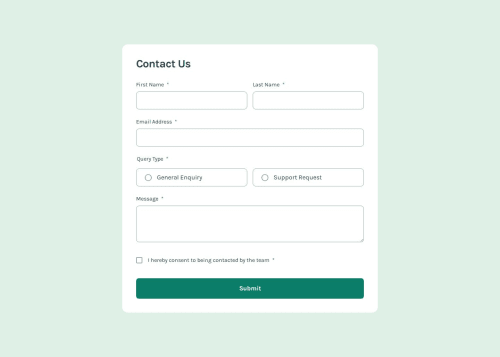
Solution retrospective
What are you most proud of, and what would you do differently next time?
I have learnt how to make accessible forms by
- making the form accessible using keyboard
- using autocomplete attribute and different tokens for different input types
- use of different aria-describedby attribute to describe more on what the input field is about and how to input values
- hiding redundant data from screen readers using aria-hidden attribute
- use of aria-invalid attribute to announce field is invalid and the error message based on aria-describedby
- how to make the toast message or modal accessible to the screen readers
- the use of aria-live, role="alert" and aria-atomic attributes help annouce the success message of toast in the solution
I had some issues using aria-invalid attribute and removing error messages when user starts filling forms
- I set the aria-invalid="false" on load in all the input elements, and when there is an error on submit then I changed attribute aria-invalid="true" so that screen-readers announce the input is invalid and error message is read out
- similarly when user starts typing on the input field which has error message, then the error-message disappears
Is my solution accessible? How can I improve the a11y of the solution.
Code
Loading...
Please log in to post a comment
Log in with GitHubCommunity feedback
No feedback yet. Be the first to give feedback on Srijan Manandhar's solution.

Join our Discord community
Join thousands of Frontend Mentor community members taking the challenges, sharing resources, helping each other, and chatting about all things front-end!
Join our Discord