

Blog Preview Card Challenge

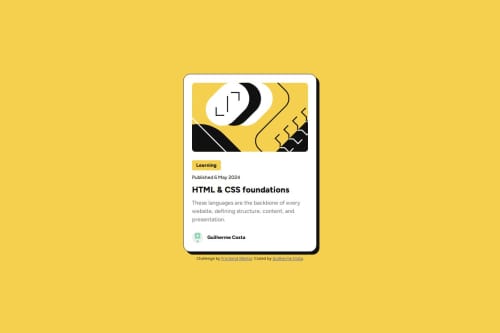
Solution retrospective
With this project I was able to learn about using custom fonts using CSS as well as using media query. I also experimented using CSS Flexbox.
This is also my first time using Figma when designing the page and I tried my best to get as close to the design as possible.
What challenges did you encounter, and how did you overcome them?- During this project I had trouble when spacing elements evenly inside the content div when using p and h1 elements. After experimenting with my code for a while, what worked for me was using the following CSS code:
.content {
  display: flex;
  flex-direction: column;
  justify-content: space-between;
}

.category, .publishdate, .title, .description {
  margin: 0;
  display: inline-flex;
}
- I also had trouble changing the card style when hovering the title. This involves changing the parent element when hovering a child element, in this case the title. What worked for me was using the following CSS selector:
.card:has(.title:hover)
Useful links:
CSS Flexbox formatting with p element on stackoverflow
CSS :hover Selector by w3schools
How to style the parent element when hovering a child element? on stackoverflow
What specific areas of your project would you like help with?- In this project I wasn't able to use the custom downloaded fonts (Figtree) when deploying my project to GitHub Pages when it works just fine locally.
This is the code I was using when importing fonts locally:
@font-face {
  font-family: 'Figtree';
  src: url('../assets/fonts/Figtree-VariableFont_wght.ttf');
}
I managed to make it work by importing the fonts from the html document using google fonts with the following code:
- Also I'd appreciate any tips about improving my workflow when using Git as I'm quite new to version control.
Please log in to post a comment
Log in with GitHubCommunity feedback
No feedback yet. Be the first to give feedback on Guilherme Costa's solution.

Join our Discord community
Join thousands of Frontend Mentor community members taking the challenges, sharing resources, helping each other, and chatting about all things front-end!
Join our Discord