

Bookmark landing page

Solution retrospective
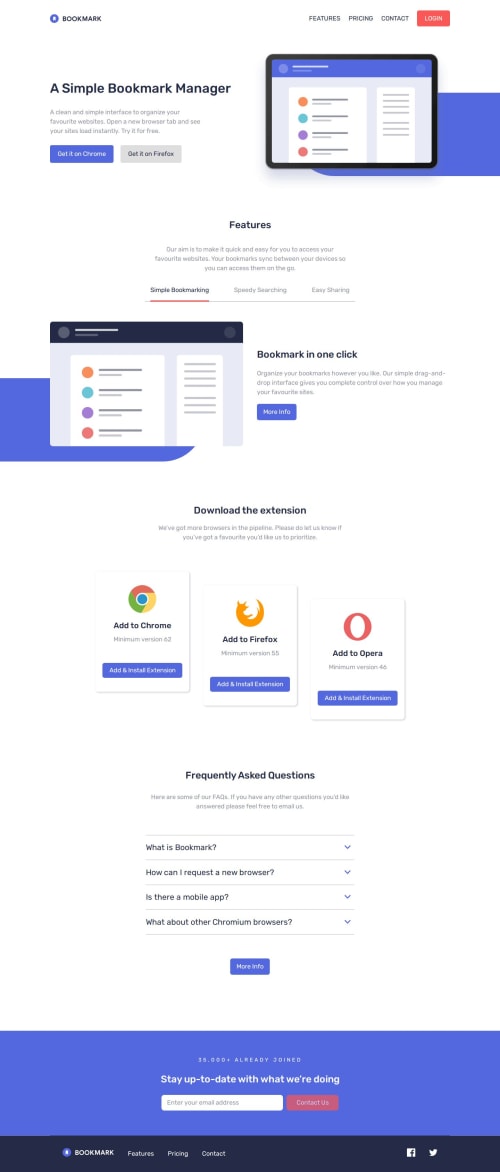
What I am most proud of is the way the navigation menu provides a seamless and intuitive experience for users, especially with its responsive design for mobile devices. I also take pride in the dynamic features section, where the images, subtitles, and descriptions update interactively based on user input, making the interface more engaging. Additionally, the validation logic for email input is robust and user-friendly, ensuring clear feedback and a polished feel to the form submission process.
If I were to do things differently next time, I would focus on improving the code structure by modularizing the JavaScript for better readability and maintainability. I would also implement accessibility features, such as keyboard navigation and screen reader support, to make the website more inclusive. Finally, I’d optimize the CSS and JavaScript further to ensure faster loading times and even smoother performance.
What challenges did you encounter, and how did you overcome them?One of the challenges I encountered was ensuring smooth transitions between different states of the navigation menu, particularly when switching between hidden and visible modes. To overcome this, I used clear CSS property adjustments and carefully managed the body’s overflow to prevent scrolling issues when the menu was open.
Another challenge was handling the dynamic feature section updates while maintaining clean and readable code. I solved this by leveraging event listeners and switch statements to control the updates efficiently, ensuring the selected button’s state was visually reflected.
Validating the email input posed a challenge, as I wanted the feedback to be both accurate and visually appealing. I addressed this by implementing a regex pattern for validation and integrating clear visual cues, such as error icons and messages, to guide users effectively. These solutions helped enhance the overall user experience.
What specific areas of your project would you like help with?I would appreciate help with improving the scalability of my JavaScript code, particularly with how I handle event listeners and dynamic content updates. As the project grows, I want to ensure the code remains clean, efficient, and easy to maintain.
Additionally, I'm looking for advice on optimizing performance, especially when dealing with large sets of dynamic elements (like the feature section or FAQ section) and ensuring smooth transitions and responsiveness across various screen sizes and devices.
Finally, any suggestions on improving the overall user interface, such as enhancing accessibility or refining design patterns, would be greatly appreciated.
Please log in to post a comment
Log in with GitHubCommunity feedback
No feedback yet. Be the first to give feedback on AlexCristea2007's solution.

Join our Discord community
Join thousands of Frontend Mentor community members taking the challenges, sharing resources, helping each other, and chatting about all things front-end!
Join our Discord