

Submitted over 1 year agoA solution to the QR code component challenge
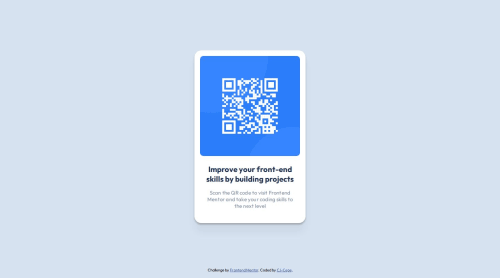
Flex-based Responsive QR Component

@CJ-Cepe
Solution retrospective
What are you most proud of, and what would you do differently next time?
- Proud of: Implemented my first FM proj, Yey!
- What I would do differently next time:
- Implement with CSS Grid.
- Use class names instead of nested CSS selectors.
- Use relative units instead of absolute units.
- Challenge: Making the component responsive below 375px and preventing it from overflowing the parent (body).
- Solution: Set the QR component width to 100%, and set a max and min-width.
- What is the appropriate HTML element for the QR component to adhere to semantic HTML?
- Is it acceptable to use only nested element selectors, or is it better to use class selectors?
- Should responsiveness for screens smaller than iPhone SE (375px) or Galaxy Z Fold (344px) still be considered?
Thank you
Code
Loading...
Please log in to post a comment
Log in with GitHubCommunity feedback
No feedback yet. Be the first to give feedback on CJ-Cepe 😎's solution.

Join our Discord community
Join thousands of Frontend Mentor community members taking the challenges, sharing resources, helping each other, and chatting about all things front-end!
Join our Discord