

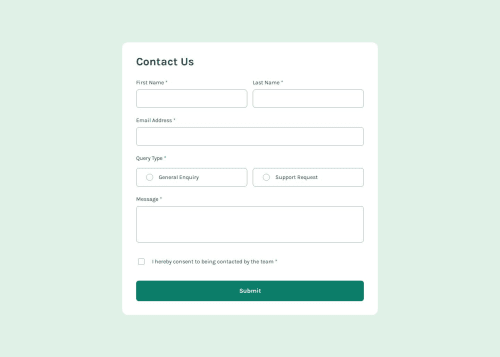
Functional Contact Form

Solution retrospective
I'm proud of the semantic html and use of aria attributes to make this website more accessible.
What challenges did you encounter, and how did you overcome them?The primary challenges that I faced were creating semantically correct html, validations, and setup with web3 forms.
I created descriptive tags that describe inputs as well as using html tags that make sense for the context of what I was trying to do. For validation, I created a javascript object to map each input to its own validation function. Lastly, setting up web3 forms was as simple as copying a snippet of code and setting up a new email.
What specific areas of your project would you like help with?I'd like help with my semantic html.
<label class="name__label" for="given-name"
    >First Name
    <span class="required" aria-hidden="true"> *</span>
    <span class="sr">required</span>
</label>
...
<span class="error invisible" id="error_given">This field is required</span>
Is this the proper way to add aria labels for screen readers. Specifically for the radio buttons, they're wrapped in a fieldset and each buton is described by the same error. Is this correct?
Lastly, any tips on validation would be appreciated!
Please log in to post a comment
Log in with GitHubCommunity feedback
No feedback yet. Be the first to give feedback on Josh Kahlbaugh's solution.

Join our Discord community
Join thousands of Frontend Mentor community members taking the challenges, sharing resources, helping each other, and chatting about all things front-end!
Join our Discord