

Submitted over 3 years agoA solution to the Interactive card details form challenge
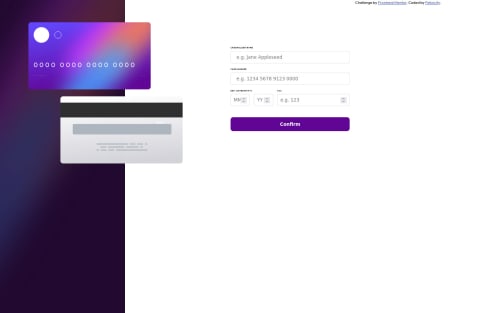
Interactive card details form using html , css and javascript
accessibility
LVL 1

@felixicity
Solution retrospective
-
I disabled the submit button before form validation but don't know how to enable it after validation.Please how do I go about that?
-
I used event bubbling to easily collect form values but could not use it to ensure all fields validation before submission. What do I do?
-
Adding border to input focus state was hard so I use "outline" instead. I tried the same approach for adding linear-gradient to input active state but it never worked.
Code
Loading...
Please log in to post a comment
Log in with GitHubCommunity feedback
No feedback yet. Be the first to give feedback on Chukwu Felix’s solution.

Join our Discord community
Join thousands of Frontend Mentor community members taking the challenges, sharing resources, helping each other, and chatting about all things front-end!
Join our Discord