

Interactive rating component solution

Solution retrospective
Is it best practice to use the localStorage.setItem() and localStorage.getItem() methods to save a variable so its accessible across multiple html pages?
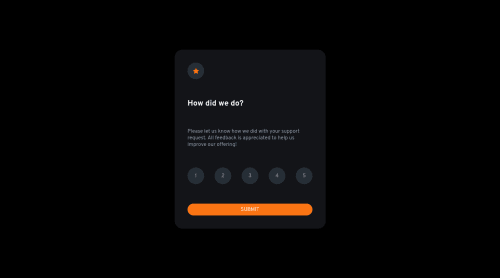
I set up an eventlistener on the submit div to assign the value of the checked radio box to a variable. I have then used the localStorage.setItem method to make that rating variable available on the next page. i then open the result page using window.location.replace method.
If no radio button is selected, the result.html page will not load. This is great because it means the result page wont load with a null value for the rating.
Im just confused why this is the case without my writing any logic for it not to load unless rating has a value.
submit.addEventListener('click', ()=> {
    let rating = document.querySelector('input[name="rating"]:checked').value;

    localStorage.setItem('userRating', rating);
    window.location.replace("./result.html");
});
Please log in to post a comment
Log in with GitHubCommunity feedback
No feedback yet. Be the first to give feedback on Mario Lisbona's solution.

Join our Discord community
Join thousands of Frontend Mentor community members taking the challenges, sharing resources, helping each other, and chatting about all things front-end!
Join our Discord