

Newsletter Sign Up with Success message

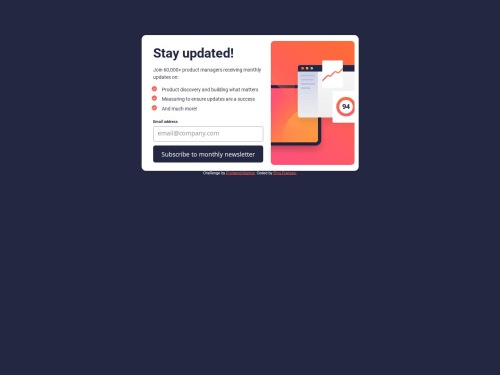
Solution retrospective
I am most proud of:
-
Improved mobile first building process
-
Improved sass and css: I got to add to my css vocabulary and I got the chance to improve sass usage.
-
Learning JavaScript Form Validation: This project challenged me to learn and implement custom form validation, allowing me to fully control when the form shows success and error messages, and tailoring the validation to real-world use cases.
-
Achieving Responsive Design: Ensuring that the newsletter form looks great across all devices and screen sizes, showing a clear and user-friendly experience on both desktop and mobile views, I learnt to use one img tag in my HTML as this was a review I got from a previous project.
-
Improved Problem-Solving Skills: Debugging, testing, and making adjustments to get everything working smoothly, required a lot of problem-solving, which has strengthened my skills.
Here are a few challenges :
-
Getting the icon to be an image: I overcame this through research.
-
Browser-Based Validation Conflict: Initially, the automatic browser validation interfered with my custom validation messages. To solve this, I added the
novalidateattribute to disable the browser's built-in checks, allowing my JavaScript code to handle validation independently and display custom error messages. -
JavaScript Value Updating: I noticed that the email value wasn't updating as expected. To resolve this, I adjusted the code to capture
emailInput.valuedirectly within thesubmitevent, ensuring I got the latest value on form submission. -
Dynamic Display of Success and Error Messages: Managing visibility between the form and success message sections proved tricky. I streamlined this by using
classList.addandclassList.removeto toggle between views, giving the user immediate feedback based on their input.
-
Choosing the Best CSS Units: Feedback on using different CSS units (like
px,rem,em,%) would be valuable, especially for responsive design and scaling elements effectively. Guidance on when to use each unit type in various situations (such as font sizes vs. layout spacing) could refine my approach. -
Enhanced Email Validation: While the current regex covers many email formats, advice on a more comprehensive pattern would help ensure the form accepts all valid email formats while catching more errors.
-
Accessibility Improvements: Suggestions on using ARIA roles and attributes to make the form accessible to screen readers or improving keyboard navigation would be great for making the form more inclusive.
-
CSS and JavaScript Structure Optimization: Input on structuring my code for readability, scalability, and performance.
Please log in to post a comment
Log in with GitHubCommunity feedback
No feedback yet. Be the first to give feedback on Ejiro Frances's solution.

Join our Discord community
Join thousands of Frontend Mentor community members taking the challenges, sharing resources, helping each other, and chatting about all things front-end!
Join our Discord