

Product Preview Card with Flexbox

Solution retrospective
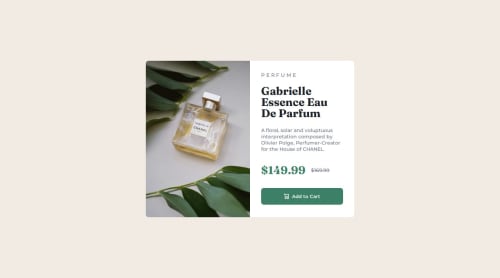
Font weights when using custom properties were not wanting to work right for me. I had to write out all of my font properties to get the desired result. I had to add in some media queries to ensure responsiveness. I used an 80% width to get the text part of my flexbox to take up the correct width. I am not sure why this happened since a 100% width worked for the image portion. I used outlines to see all of my boxes and ensure i was getting the correct sizes.
What specific areas of your project would you like help with?I would take any advice on correctly using font weight/styles when using custom properties. The Fraunces font in particular had different styles depending on weight that I had to list out line by line.
In regards to switching to column flex on the media query: would like to know why I had to set my text portion of my flexbox to 80% to take up 100% of the flexbox while the image portion worked correctly with 100%.
Please log in to post a comment
Log in with GitHubCommunity feedback
No feedback yet. Be the first to give feedback on Keith's solution.

Join our Discord community
Join thousands of Frontend Mentor community members taking the challenges, sharing resources, helping each other, and chatting about all things front-end!
Join our Discord