

Recipe Page Tailwind CSS

Solution retrospective
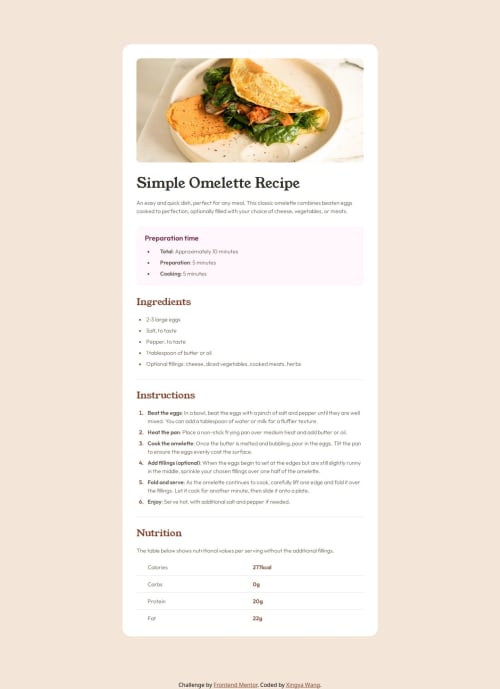
In this project, I learned to gain familiarity working with Tailwind CSS. It's a lot of fun using Tailwind compared to the traditional CSS stylesheet, e.g.
- one does not need to go back and forth between two scripts
- no need to come up with the most creative class/id names
For example, in order to achieve the effect
.myclass {
  font-weight: bold;
}
One can just do
<p class="font-bold">Some HTML code I'm proud of</p>
I am more comfortable with planning and thinking through the general structure/design layout of the website first before coding, which helps me streamline the CSS coding process. For example, check the index.html script in my GitHub repo, where I used id to indicate what the structure/layer of a component is, and styled it consistently across.
Comments: This is the first time I use Tailwind CSS to do a project. I find it helpful to just skim through the introduction on the Tailwind CSS official website and use the website as a Tailwind Class dictionary (search for CSS tags when in need). It was such a breeze of using Tailwind compared to traditional CSS via stylesheet. Highly recommend for anyone who has not started using it yet.
What challenges did you encounter, and how did you overcome them?The main challenge I faced in the project has to do with the Tailwind CSS setup and syntax. Since this project is mainly using only vanilla HTML (and no React or even Javascript), I decided to not bother installing Tailwind Vite yet and went with using the Plan CDN (i.e. by including the following in the <header> of my index.html script)
<script src="https://cdn.jsdelivr.net/npm/@tailwindcss/browser@4"></script>
However, this approach had quite some limitation on customization, and I even had trouble getting the VS Code Tailwind CSS IntelliSense working. I resolved these by:
- Import custom font from
ttffile: one can define the script
<style>
    @font-face {
      font-family: 'Outfit';
      src: url('./assets/fonts/outfit/Outfit-VariableFont_wght.ttf') format('truetype');
    }
</style>
- Customization: one can define custom classes as follows
<style type="text/tailwindcss">
    @theme {
      --color-clifford: #da373d;
      --font-outfit: 'Outfit', sans-serif;
      --text-x40: 40px;
    }
</style>
...
<h1 class="text-clifford text-x40 font-outfit"></h1>
- VS Code Tailwind CSS IntelliSense: include the file
tailwind.config.jsin the main directory even if it's empty when usingPlay CDNversion of Tailwind.
I still find it hard motivating myself to learn CSS. I think I understand the basic syntax and the common CSS properties like flex-box, fonts, margin/padding and etc; but it seems like there are a lot more advanced topics which are seldomly used and tedious to just read docs. Do you have good suggestions/resources on getting better at CSS?
Please log in to post a comment
Log in with GitHubCommunity feedback
No feedback yet. Be the first to give feedback on wxyzz22's solution.

Join our Discord community
Join thousands of Frontend Mentor community members taking the challenges, sharing resources, helping each other, and chatting about all things front-end!
Join our Discord