

Submitted over 2 years agoA solution to the Skilled e-learning landing page challenge
Skilled-elearning-landing-page

@Thewatcher13
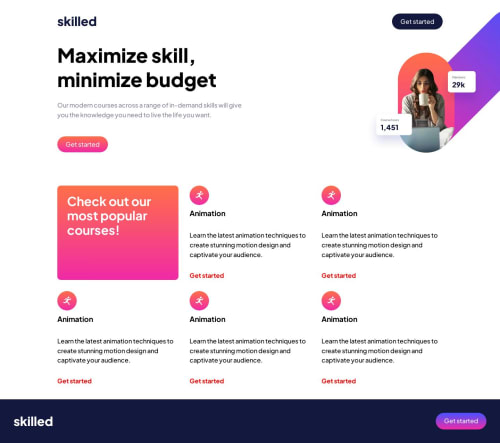
Solution retrospective
Things that I've learned:
- If I set a background image on a button, I can't set the background color on the pseudo-element :hover.
- I've used the auto-fit grid function to set the rows and columns correctly for responsive design. I only used media queries for adjusting margins and aligning the picture.
- I need to learn more about naming my classes. (should read about BEM)
- that I need to keep the readability of my HTML in mind -if i'm stuck, i explained my code to myself and found the error (a misplaced div..)
My questions:
- My picture on the right-side on the top doesn't seem the right size and i can't figured out what is going on..
- Is my footer well written on css? I found it a little hard to st this one
- Is there anything else that you think, this is a better way to do this or that?
In general, am i on the good way on my frondent journey based on this project?
Thanks for your feedback.
Code
Loading...
Please log in to post a comment
Log in with GitHubCommunity feedback
No feedback yet. Be the first to give feedback on Joachim's solution.

Join our Discord community
Join thousands of Frontend Mentor community members taking the challenges, sharing resources, helping each other, and chatting about all things front-end!
Join our Discord