

Social link profile

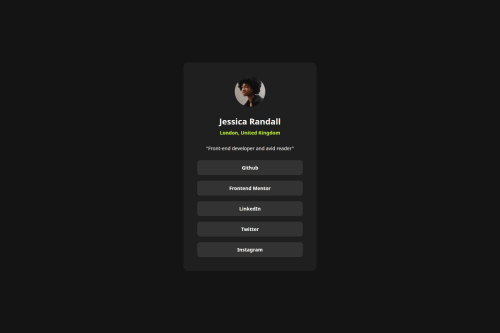
Solution retrospective
This project was a significant opportunity to consolidate foundational skills and delve deeper into advanced CSS techniques, particularly around layout and responsiveness.
-
Robust Centering with CSS Grid (
place-items: center): I gained a deeper understanding of usingdisplay: gridcombined withplace-items: centeron thebody(or a main container) for a highly effective and concise method of centering elements both horizontally and vertically on the screen. This is a powerful and modern layout pattern. -
Strategic Layout with
<main>as a Container: I refined my approach to layout by shifting the primary centering and dimensioning properties from thebodyto the<main>element. This demonstrated the importance of separating global body styles from main content layout, leading to more modular, scalable, and predictable CSS, especially when dealing with complex nested elements. This was key to resolving unexpected sizing issues. -
Modern Responsive Sizing with
min(): I successfully implementedwidth: min(100%, 38.4rem)on the card. This advanced CSS function provides a superior way to manage responsiveness, allowing the element to be fluid up to a maximum desirable size, preventing overflow on small screens and excessive stretching on large ones. -
Optimizing Font Loading (
font-display: swap): I integratedfont-display: swapinto the@font-facerules. This technique significantly improves perceived page load performance by displaying fallback text while custom fonts are loading, enhancing the user experience by avoiding invisible text (FOIT). -
Interactive States (
:hover,:focus-visible): I meticulously implemented:hoverand:focus-visiblestates for interactive elements, ensuring not only visual feedback but also improved accessibility for users navigating via keyboard. -
Semantic HTML and Accessibility: I reinforced the use of semantic HTML tags like
<main>,<article>,<nav>, and<a>to create a well-structured and accessible document outline, which benefits both search engines and assistive technologies.
Please log in to post a comment
Log in with GitHubCommunity feedback
No feedback yet. Be the first to give feedback on Igor Bueno's solution.

Join our Discord community
Join thousands of Frontend Mentor community members taking the challenges, sharing resources, helping each other, and chatting about all things front-end!
Join our Discord