

Submitted over 1 year agoA solution to the Clipboard landing page challenge
Solution for Clipboard Landing Page

@rame0033
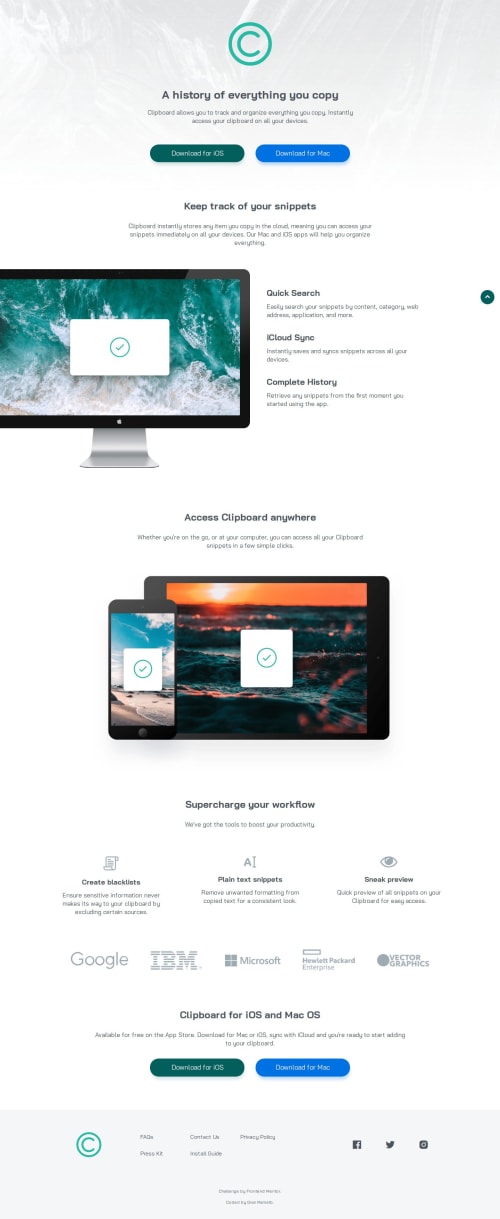
Solution retrospective
What are you most proud of, and what would you do differently next time?
Practicing more on layouts especially on the main section by using the flexbox to place the desktop image on the left most part to display a cropped version of the image.
This is how I do the coding to achieve it
  @media screen and (min-width: 1200px) {
  .featWrap {
    display: flex;
    gap: 1rem;
  }

  .FeatImg {
    margin-left: -3rem;
  }
}
I acknowledge the goal of the challenge is to optimize layouts for various screens, and I tried to do accessibility practices as well such as
- Adding skip links
- Adding scale changes on
hoverandactivestates for links - Contrast between foreground and background colors
- Using ARIA for images and button links
If there is anything you can add, please feel free to let me know to improve my awareness of accessibility.
Code
Loading...
Please log in to post a comment
Log in with GitHubCommunity feedback
No feedback yet. Be the first to give feedback on Gian Ramelb's solution.

Join our Discord community
Join thousands of Frontend Mentor community members taking the challenges, sharing resources, helping each other, and chatting about all things front-end!
Join our Discord