

Stats Preview Card

Solution retrospective
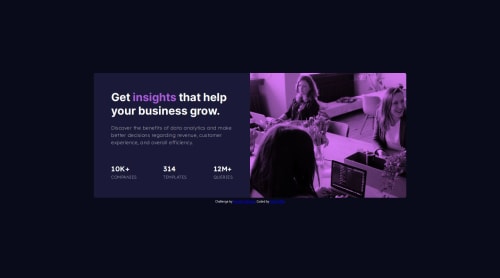
What are you most proud of, and what would you do differently next time? I am most proud of successfully implementing a CSS filter effect to change an image's color, creating a visually appealing result that closely matched the design goals. This was an opportunity to deepen my understanding of CSS properties like filter and mix-blend-mode, which provided a creative solution without requiring changes to the original image files.
If I were to approach this project again, I would explore using SVG images from the beginning for greater control over styling and scalability. SVGs allow direct manipulation of elements and colors through CSS and JavaScript, which can provide a cleaner and more efficient workflow for dynamic designs. Additionally, I would spend more time in the planning phase to consider performance optimizations, especially for larger projects that may involve multiple images or animations.
What challenges did you encounter, and how did you overcome them?One of the primary challenges was achieving the exact color transformation without affecting other elements on the page. Initially, I struggled with getting the precise purple hue and ensuring it looked consistent across different devices and screen resolutions. I overcame this by experimenting with various combinations of CSS filter values and testing extensively on multiple browsers and devices.
Another challenge was maintaining the image quality while applying the CSS filters, as certain filters can inadvertently affect image sharpness or contrast. I addressed this by adjusting the brightness and contrast properties and using a ::before pseudo-element overlay to maintain control over the image's visual balance.
What specific areas of your project would you like help with?I would appreciate feedback on the following areas:
-
Performance Optimization: Are there more efficient ways to apply color filters to images using CSS, especially when dealing with multiple images or high-resolution files?
-
Cross-Browser Compatibility: How can I ensure that CSS filter effects appear consistently across all major browsers, particularly older versions of Internet Explorer or mobile browsers?
-
Accessibility: How can I improve accessibility when using visual effects, ensuring that users relying on screen readers or those with visual impairments have a seamless experience?
-
Alternative Techniques: Are there alternative methods or technologies that could be more effective for this type of project, such as using JavaScript libraries or frameworks that provide additional flexibility or functionality?
I am open to suggestions and insights from the community to enhance the quality and efficiency of this project further.
Please log in to post a comment
Log in with GitHubCommunity feedback
No feedback yet. Be the first to give feedback on Fahith K.R.M.'s solution.

Join our Discord community
Join thousands of Frontend Mentor community members taking the challenges, sharing resources, helping each other, and chatting about all things front-end!
Join our Discord