

Get seriously good at building for the web.
Practice on real projects from professional designs and product specs, by hand at first, then with AI agents. Get an AI code review and feedback from other developers as you go.

Get an AI code review on every solution you submit
Free members get one review a month. Go Pro for a review on every submission and a skills profile that fills out as fast as you build.
Our latest challenges
- Free
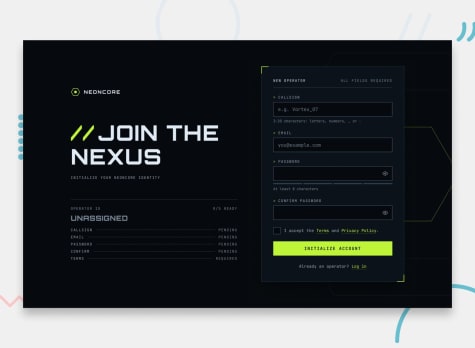
Gamer sign-up form
- HTML
- CSS
- JS
juniorPractice form validation and accessibility with this neon gamer sign-up form, featuring a password strength meter, show/hide passwords, and loading and success states.
- Premium Product
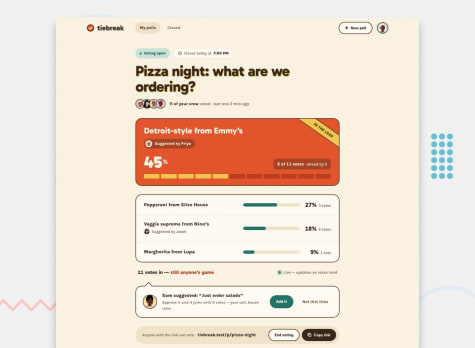
Poll creator app
- HTML
- CSS
- JS
intermediateBuild and deploy a group polling app where voters need no account, can suggest their own options, and results end in a reveal worth sharing.
- Free
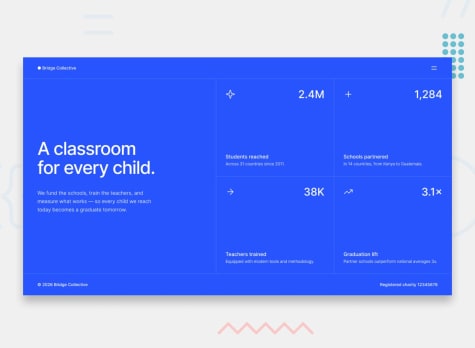
Grid landing page
- HTML
- CSS
newbieBuild a landing page hero with a 2x2 stats grid, a split headline layout, and a toggleable menu. A great first project for practicing CSS Grid across breakpoints.
Two ways to practice
Pick the format that trains the skill you want to work on next.
Design challenges
Build a professional design as closely as you can, at every screen size. You’ll train your eye for spacing, type, and layout, and practice turning a designer’s file into working code.
Browse design challengesProduct challenges
Build from a product spec and brand kit, with no design file. You’ll practice deciding how a product should look and work, then shipping it, by hand or with an agent.
Browse product challenges
Testimonials
"I highly recommend Frontend Mentor. Skip the search for project ideas and dive into ready-made challenges that help you level up as a developer."

"Frontend Mentor is a win-win. You can sharpen your skills building websites and add finished projects to your portfolio to help land a job!"

As featured on...


How it works


1Choose your challenge
Pick from 132 professional projects across five difficulty levels. Build to a design file, or take on a product challenge and make the design decisions yourself.
2Build it your way
Use the stack you want to get better at, and build by hand, alongside an agent, or by directing one.
3Submit and improve
Get an AI code review that points to the lines worth improving and explains why. Each review adds to your skills profile, which shows where you’re strong and what to practice next. Other developers can review your code too.
4Level up as you go
Take on tougher challenges as you grow, and review other developers’ code along the way to sharpen your skills and build connections in a supportive community.
Why developers choose Frontend Mentor
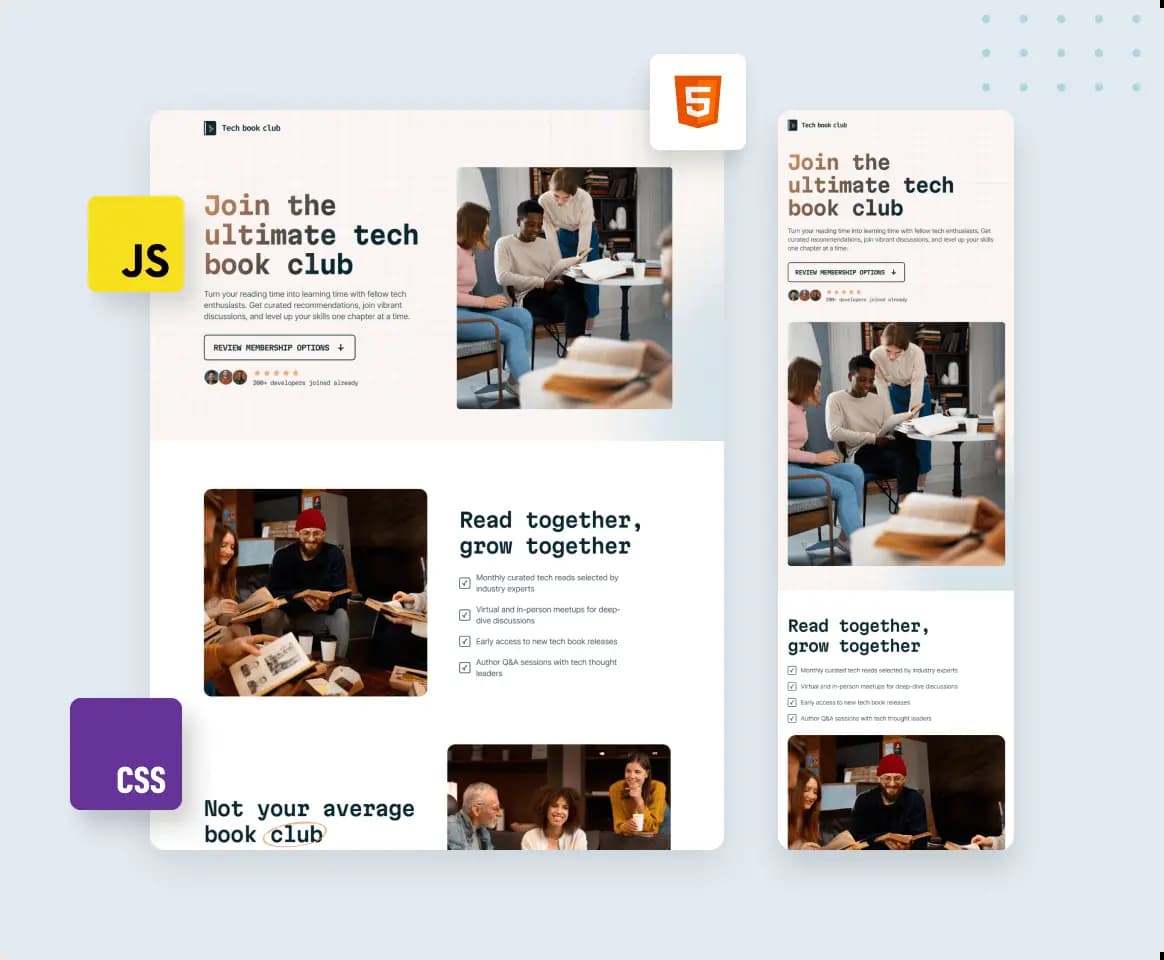
Move beyond passive learning
Stop watching tutorials and start building. Create professional projects that build real skills through hands-on practice.

Build a portfolio you can explain
You deploy each project and write a README covering what you built and the decisions you made. That gives you a portfolio of work you can explain in detail, to another developer or in an interview.

Build by hand first, then with AI
Hand-code the early levels until you can read code well enough to check what an agent writes. Then bring an agent in on bigger builds, working alongside it or directing it. Whichever way you build, test it yourself before you submit, with a keyboard and on a small screen too.
Read our take on learning to code with AI
Join a supportive developer community
Connect with other developers for code reviews, career advice, and encouragement. You’ll build alongside people who get what you’re working through, with help from those a few steps ahead.
Get feedback on every solution with Pro
Get a review on every solution, then re-run it after each round of fixes until you’re happy with your code.
Get an AI code review on every solution
Each finding points to specific lines in your code and explains what to change and why. Reviews cover code quality, accessibility, your commits, and your README, and take your challenge brief into account. Free members get one a month, and Pro covers every solution.
Take on bigger, realistic projects
Work on multi-page sites, dashboards, and full-stack apps. Projects this size make you plan your components and keep a growing codebase organized, which smaller builds don’t ask of you. Build to a design file, or take on a product challenge and make the design decisions yourself.
Practice the design-to-code workflow
Get professional design files for every design challenge and build to real specs: colors, spacing, type, and more. It’s the same workflow developers use on the job.
Plans
- AI code review on every solution (included)
- Re-run reviews as often as you like (included)
- 2 premium challenges/month (included)
- 5 Figma design files/month (included)
- Private solutions (included)
- Custom solution domains (included)
- View challenge solutions early (included)
- AI code review on every solution (included)
- Re-run reviews as often as you like (included)
- Unlimited premium challenges (included)
- Unlimited Figma design files (included)
- Private solutions (included)
- Custom solution domains (included)
- View challenge solutions early (included)
Accepted payment methods


For companies

Train junior developers with real projects
Skip theoretical tutorials. Give your junior developers 132 real-world challenges that build practical skills. Get an AI code review on every developer’s submission to identify skill gaps and track their progress.
Explore teams
Discover junior talent through skills, not resumes
See real code and live projects upfront, then connect directly with developers who've demonstrated the skills and passion you need.
Explore hiringA little ❤️ from our community
- This platform provides everything developers need to improve their skills. The community is great, and the challenges keep me motivated, instill accountability through regular submissions, and allow me to build a professional portfolio by showcasing diverse projects.
 Francesca@frrann
- Frontend Mentor eliminated the hurdle of sourcing designs, letting me focus on development. Their professional projects, especially in the Pro subscription, challenge me to create complex, multi-page websites. With a supportive community and feedback from advanced programmers, my skills have been elevated to new heights.
 Alfie@alfiemitchell123
- Frontend Mentor transformed me from a newbie to a professional developer, enabling me to create flawless, responsive, accessible websites. It’s a superb platform for feedback with a supportive community backing your growth. Through it, I evolved from a frontend to a full-stack developer.
 Hikmah@Hikmahx
- Frontend Mentor has helped tremendously. Working on the newbie challenges really helped me get better at building layouts. Also, it increased my JavaScript skills. Working with APIs, DOM manipulation, and so on greatly increased my knowledge. Would totally recommend it.
 Nuel@ijklmopffs
- After completing a software bootcamp, Frontend Mentor let me build real-world projects, strengthening my developer skills. I wouldn’t be where I am today without it.
 Michelle@maberizk
- As a backend developer, I sought to improve my frontend skills. Frontend Mentor provided beautifully designed challenges, allowing me to progress from simple components to advanced responsive web pages. Enough can’t be said about the community members. Their feedback has been invaluable in my journey to becoming a better developer.
 Arturo@artimys
- Frontend Mentor offers invaluable real-world web development challenges, sharpening my HTML, CSS, and JavaScript skills. The structured feedback, solutions, and vibrant community have significantly impacted my learning and growth. It’s both a skill-building platform and a community hub for web developers.
 Shashikant@shashikantdev3
- I began my frontend journey with Frontend Mentor’s newbie challenges and progressed to more complex projects. Some of the complex ones are now even in my portfolio! The supportive community and the dedication of the Frontend Mentor team are unmatched. I highly recommend it for newcomers and those keen on improving their skills.
 Marit@Maritxx
Join 1,206,685 people building portfolio-worthy projects
Our highly supportive, positive community is here to help you improve your skills. We all try to help each other out wherever possible. We’d love to welcome you to our community!
Log in with GitHub