


What is React?
React is a JavaScript library for building user interfaces from small, reusable pieces called components. Each component is a function that returns what its piece of the page should look like, written in JSX, a syntax that lets you put HTML-like tags inside JavaScript. When your data changes, React works out what's different and updates the page for you.
Jordan Walke created React at Facebook, and it was open-sourced in May 2013. React 19 is the current major version. Here's a component that remembers how many times it's been clicked:
import { useState } from 'react';

export default function LikeButton() {
  const [likes, setLikes] = useState(0);
  return (
    <button onClick={() => setLikes(likes + 1)}>
      {likes} likes
    </button>
  );
}
useState gives the component a piece of memory, and calling setLikes tells React to render it again with the new value. React covers the UI layer only, so routing and data loading come from other tools. The React docs recommend starting new apps with a framework such as Next.js or React Router.
Why learn React?
React asks you to treat the UI as a result of your data: given this state, the page should look like this. Once that idea clicks, most of what's left is a short list of hooks, like useState for memory and useEffect for syncing with things outside React, such as a timer or a network request. The official docs at react.dev teach each idea with sandboxes you can edit in the browser.
React was the most-used web framework or library after Node.js in Stack Overflow's 2025 Developer Survey, picked by 44.7% of respondents, so you'll see it in a lot of job listings. It also leaves routing, data fetching and styling to other packages, which means more setup decisions than in Angular, where a router and forms come built in.

Practice React on Frontend Mentor
You pick the tools for every Frontend Mentor challenge, and React suits the interactive ones. These six lean on the parts of React that take practice, like deciding where state lives.
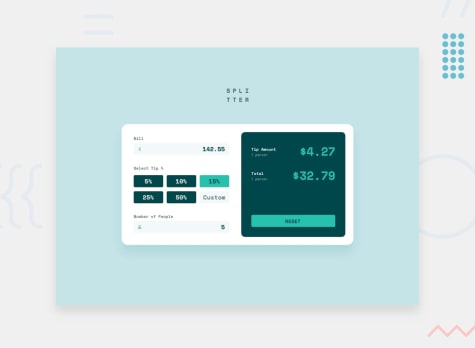
Start with the Tip calculator app. The tip and total per person can be worked out from the bill, tip percentage and number of people on every render, so those three inputs are the only state you need. The Interactive comments section stores replies inside comments, so editing or voting on a reply means updating an object nested in an array without changing the original. In the Multi-step form, every step needs data the others collected, which is practice at lifting state up to a shared parent.
Take your React skills further
Want a more structured approach? This learning path takes you through its challenges in order, from first principles to real-world projects.
JavaScript frameworks and libraries
Using a JavaScript framework can provide many benefits. In this path, we outline core concepts and provide a sequence of challenges to help you reinforce knowledge and gain hands-on experience with your chosen framework.

Challenges to practice React with
Every challenge works with any tech stack. These are good ones to build with React, from easiest to hardest.
- Free
Tip calculator app
- HTML
- CSS
- JS
juniorThis small app is perfect for anyone starting to get to grips with JavaScript. The calculator functionality will be a nice test!
- Free
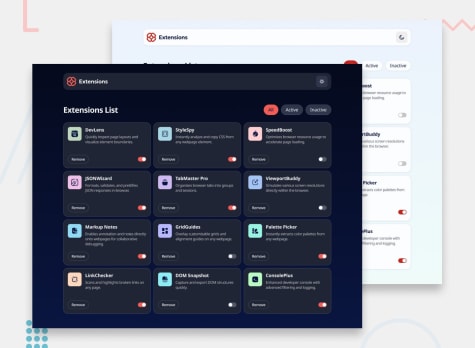
Browser extension manager UI
- HTML
- CSS
- JS
juniorThis project will be a fun way to practice working with dynamic data, filtering data, color theming, building a responsive grid, and more!
- Free
Interactive comments section
- HTML
- CSS
- JS
intermediateThis is project will put your JavaScript skills to the test. We provide a JSON file to pull the data, but it's also a perfect project to build as a full-stack CRUD app!
- Free
Multi-step form
- HTML
- CSS
- JS
advancedAn excellent test for your form-building and JS skills, this project will pose many challenges along the way to completion.
- Premium
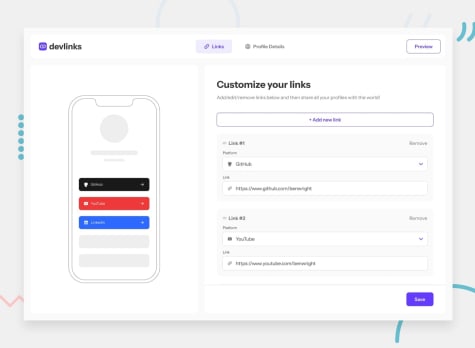
Link-sharing app
- HTML
- CSS
- JS
guruIn this project, you'll build a fully-functional link-sharing app for developers! You'll practice working with image uploads, repeater fields, drag-and-drop, and more!
- Premium
Kanban task management web app
- HTML
- CSS
- JS
guruIn this project, you'll build a fully-functional task management app with a light/dark mode toggle. We provide a JSON file, so you can practice working with JSON data.



Solutions made with React
IP Address Tracker - React, TypeScript & Interactive Maps
#react#typescript#vite#playwright#accessibilityLVL 2Submitted 16 minutes agoCrowfunding product page made with react and tailwindcss
#react#vite#tailwind-css#motionLVL 2Submitted about 4 hours agoConference Ticket Generator | Next.js + TypeScript + Tailwind CSS
#react#typescript#tailwind-css#nextLVL 1Submitted about 7 hours agoEqualizer landing page
#accessibility#react#next#typescript#tailwind-cssLVL 5Submitted about 11 hours ago


Related technologies
What is Next.js?
Next.js is a React framework for full-stack web apps. Its App Router turns folders into routes and renders pages as React Server Components by default.
What is Redux?
Redux is a library for managing global state in JavaScript apps. Redux Toolkit is the official way to write it, with slices that group state and updates.
What is TypeScript?
TypeScript is JavaScript with syntax for types, made by Microsoft. It checks your code before it runs and compiles to plain JavaScript for any browser.
What is Vue.js?
Vue is a JavaScript framework for building user interfaces. You write components in .vue files, and Vue updates the page whenever your data changes.
Join 1,204,797 people building portfolio-worthy projects
Our highly supportive, positive community is here to help you improve your skills. We all try to help each other out wherever possible. We’d love to welcome you to our community!
Log in with GitHub